Updated 14 October 2026.
Computer Services New Jersey (CSNJ) is an IT company in Holmdel, Monmouth County, supporting accounting and CPA firms across New Jersey and New York City. We keep your tax and accounting software running through the January to April 15 crunch and the September and October extension deadlines, help you meet the IRS and FTC data-security requirements for tax preparers, and answer support requests in 30 minutes or less. Our accounting practice is part of the IT support for New Jersey businesses we provide from Holmdel, Monmouth County.

Tax season changes how IT has to work
For an accounting firm the year is not even. From January to April 15, and again before the September and October extension deadlines, a frozen workstation or a locked remote session costs filings, not just time. That is why the way we work changes in those weeks: no maintenance windows during the crunch, extra capacity when the volume rises, and top priority for anything that blocks a return from being filed.
Outside the crunch we use the quiet months for what cannot be done in busy season: yearly software upgrades, new workstations and the clean-up of accounts and permissions.
Workstations, Servers and NAS: Keeping the Infrastructure Ready
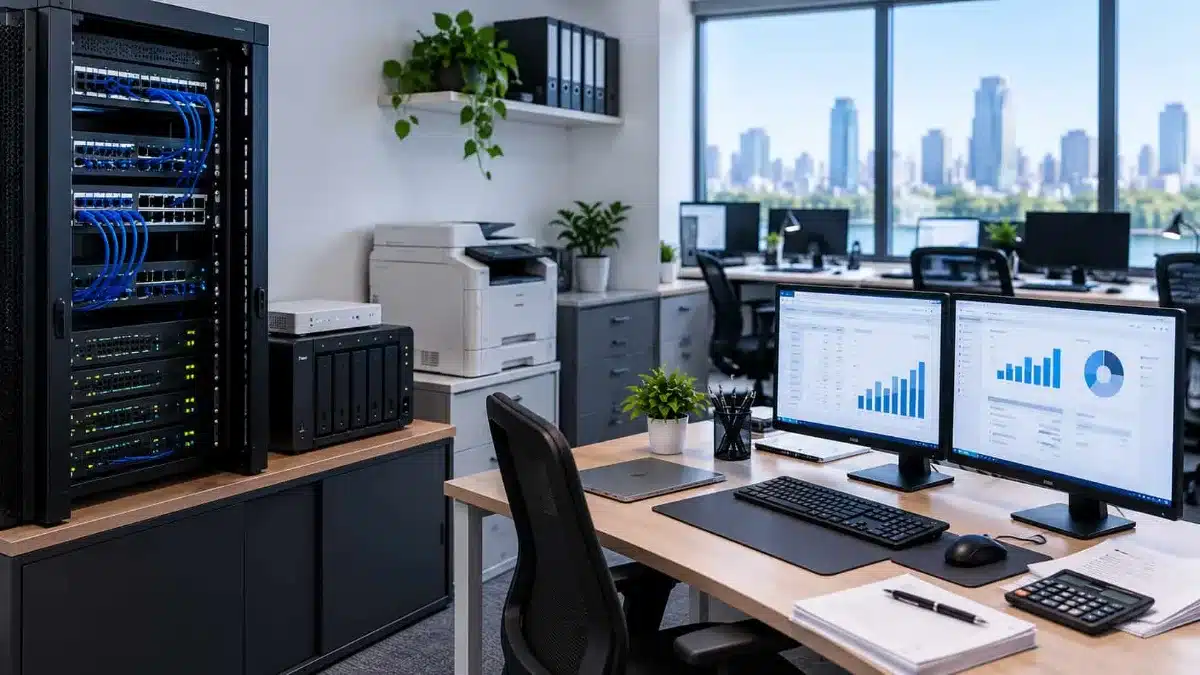
Tax and accounting software only runs as well as the computers and servers underneath it. In a small CPA practice that usually means a handful of desktops and laptops, a server or a NAS that holds the tax databases and client files, a firewall, and the printers and scanners the front desk depends on during filing season. When one of these slows down or fails in March, the whole office feels it.
Our infrastructure support covers the everyday work that keeps that environment dependable: operating system and application updates scheduled outside peak weeks, performance checks on workstations that run several tax applications at once, storage capacity reviews before the new tax year’s databases are created, and troubleshooting when a machine misbehaves. We also keep an inventory of your hardware and a record of how your systems are configured, so that a replacement or a recovery does not start from a blank page.
Hardware has a lifecycle, and in an accounting firm the timing matters more than the age. As noted above, replacements belong in the quieter months. We flag the machines that are reaching the end of their useful life, plan the swap around your calendar, and move user profiles and software across so that the person who sits down at the new computer finds everything where it was.
Tax and accounting software
Most firms run a mix of professional tax software, accounting software and a document system, each with its own yearly version update, hosting choices and remote-access needs. The ones we are asked about most often are:
- Lacerte and UltraTax CS
- CCH Axcess and ProSystem fx
- Drake Tax
- ATX
- QuickBooks
Each has a yearly update that has to land before the season starts, and each behaves differently when staff work from home or when the software is hosted in the cloud. We support all of them.
Coordinating Technical Issues with Software Vendors
When a tax application misbehaves, the cause may be in the software or in the environment it runs on: the workstation, the server, the network, or the user’s permissions. We troubleshoot the environment side and, when the issue is inside the application, we open the case with the vendor and work it through with them, so that your staff do not spend tax season on hold with two different help desks. For products we support, that includes preparing the yearly update, checking compatibility with the current operating system and server resources, and testing significant changes before the peak filing weeks.
IRS Publication 4557 and the FTC Safeguards Rule
Tax preparers are treated as financial institutions under the FTC Safeguards Rule (16 CFR 314), and the IRS says the same in Publication 4557. In practice that means a written information security plan (WISP), a named person responsible for it, multi-factor authentication and encryption of client data. The IRS publishes a template for the plan in Publication 5708. Most small firms do not realise this applies to them.
Since May 2024 a breach affecting 500 or more people must be reported to the FTC within 30 days. We help you complete the plan, put the technical safeguards in place and keep the plan true as your office changes. We do not give legal advice, so confirm with your compliance advisor how the rule applies to your firm.
Client portals, file exchange and e-signature
Clients send tax documents by email attachment, and those documents then sit in inboxes for years. A client portal or secure file-exchange tool, such as ShareFile or SmartVault, keeps documents out of email, and an e-signature step keeps engagement letters and returns signed and on record. We help you choose, set up and connect these to the way your staff already work.
Seasonal staff and tax-season phishing
Every year firms add temporary preparers and reviewers. Each one needs fast access to the right client files, nothing more, and needs the access removed the day they leave. We set up onboarding and offboarding so that is routine, including secure remote work for staff who work from home.
Tax season is also phishing season: fake emails that impersonate the IRS, a client or a software vendor, and requests to change refund or payment details. A short staff briefing before January and email protection that blocks the obvious fakes remove most of the risk.
Secure Remote Access and Microsoft 365 for Accounting Staff
Accountants work from home in the evenings of March, from a client’s office, and from wherever the extension deadline finds them. Remote access has to be secure without being a daily obstacle. We set it up on managed devices, protected by multi-factor authentication and a secure connection to the firm’s server or hosted environment, so that staff reach the tax software and client files from approved locations and nothing else. Permissions follow the person’s role: a seasonal preparer sees the clients assigned to them, not the whole archive.
For firms on Microsoft 365, we manage the user accounts, enforce MFA, configure email protection against the impersonation attempts that spike every filing season, and keep document permissions aligned with who actually needs access. Offboarding works the way the seasonal-staff section above describes, with one addition that is easy to miss: when the account is deactivated, the mailbox is retained according to the firm’s own policy and removed from shared folders and portals, not left open with its old permissions.
One point we make clear to every firm: Microsoft 365 has built-in protection and recovery features, but they may not cover every firm’s backup, retention, and recovery needs. Deleted items past their retention window, a compromised account, or a ransomware event can still require a separate backup strategy, which is the subject of the next section. (For the details, see our guide to Microsoft 365 backup.)
Backup and Disaster Recovery for Tax Records and Financial Data
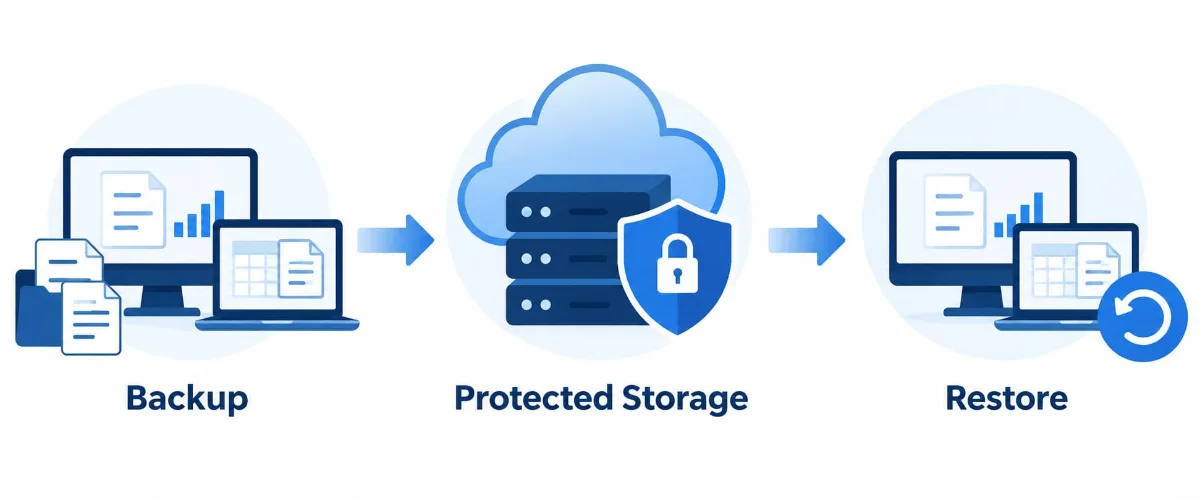
A CPA firm’s data is its practice: years of tax databases, workpapers, client documents, and the correspondence around them. Backup and disaster recovery are two different things, and a firm needs both. A backup is a protected copy of that data, taken on a schedule and stored where ransomware, hardware failure, or an accidental deletion cannot reach it. Disaster recovery is the plan for getting the firm working again: what gets restored first, on what equipment, and how long that is allowed to take.
We design the backup around the data that matters most, starting with the tax and accounting databases and the server or NAS that holds client files, with copies kept both locally for fast restores and off-site, in secure cloud backup, for the cases where the office itself is the problem. Retention follows the firm’s own obligations and its compliance advisor’s guidance rather than a one-size-fits-all number.
A backup that has never been restored is an assumption, not a plan. We test restores on a schedule and before every tax season, so that the recovery time and the recovery point (how far back the last good copy goes) are known numbers rather than hopes. The recovery plan itself is written down and kept where the partners can find it when they need it, with the priorities agreed in advance: tax software and its databases first, then client documents, then everything else. For the difference between the two in plain terms, see our article on data backup vs. disaster recovery.
Preparing Your Firm’s IT Before Tax Season: A Short Checklist
The quietest weeks of the year are the right time to get the IT ready for the busiest. This is what we go through with accounting firms every fall:
- Hardware: replace workstations that are due, confirm the server or NAS has the capacity for the new year’s databases, and check that printers and scanners are reliable.
- Software: install and test the yearly updates for every tax and accounting application before the first return is filed.
- Accounts and access: review who has access to what, remove accounts that are no longer needed, and confirm MFA is on for every user, with no exceptions for partners.
- Backups: run a full restore test and confirm the off-site copy is current.
- Security plan: review the written information security plan (WISP) and confirm the responsible person, the employee briefing, and the incident procedure are up to date.
- Emergency contacts: make sure every staff member knows how to reach support when something blocks a filing, including evenings and weekends.
- Change freeze: agree the dates from which no upgrades or configuration changes happen until after the deadline.
The free IT assessment described below covers the core of this list — computers, network, backups, the written security plan and how your tax software actually runs — in one visit.
Where this fits with our other services
This page covers what is different for accounting firms. For the services behind it, see our managed IT services, cybersecurity services and cloud backup.
Proof
Our CPA firm server migration case study shows what that looks like: a well-known CPA firm in Union, NJ moved seven years of tax databases to a new server, with the 2025 software deployed and secure remote access set up for staff. Another real example is our payroll and financial services case study: a payroll and financial services firm with offices in several states, where tax filings and pay cycles cannot be interrupted, moved to a private network with no missed deadlines.
Find out where your firm stands, in one visit
Book a free IT assessment: your computers, network, backups and written security plan, checked against what the IRS and FTC expect and how your tax software actually runs.
Frequently asked questions
Do you support Lacerte, UltraTax CS or CCH Axcess?
Yes. We support Lacerte, UltraTax CS, CCH Axcess, ProSystem fx, Drake, ATX and QuickBooks, including their yearly updates, hosting and remote access.
Can you help us put together a written information security plan (WISP)?
Yes. We complete the plan with you from the IRS template in Publication 5708, put the technical safeguards behind it in place and keep it current. Your compliance advisor confirms how the FTC Safeguards Rule applies to your firm.
What happens if our tax software goes down on April 14?
Call or use our Get Help page at any hour. We answer support requests in 30 minutes or less, and during tax season anything that blocks a filing is our first priority.
Do you work with small practices of 3 to 10 people?
Yes. Support is available as flat-rate managed IT with unlimited monthly support, or as hourly and block support, so it can fit a small practice.
Can seasonal staff work from home securely?
Yes. We give each seasonal preparer access to only the client files they need, over a protected connection with multi-factor sign-in, and remove it when they leave.
What IT support does a CPA firm typically need?
Most CPA firms need support for their workstations and server or NAS, secure access to tax and accounting software, email protection, account and access management, data backup with tested restores, and a recovery plan. The right mix depends on the size of the firm, the applications it runs, and whether staff work remotely during filing season.
Does IT support make our firm compliant with the FTC Safeguards Rule?
No. The Safeguards Rule and the IRS guidance for tax professionals set obligations that the firm itself is responsible for, including a written information security plan. IT support implements and maintains the technical safeguards in that plan, such as MFA, encryption, access controls, backups, and monitoring, and documents them for your compliance advisor. It is not legal advice.
How often should an accounting firm test its backups?
At least before every tax season and after any significant change to the server, the tax software, or the backup setup. A restore test confirms that the data can actually be recovered and how long that takes. For a firm whose databases change daily during filing season, we recommend scheduled restore tests throughout the year, not only once.
Related: Industries We Serve | IT support for title and settlement agencies | law firms