TL;DR — IN SHORT
- Network monitoring = continuous, automated tracking of your network’s health, performance, and availability.
- It detects slowdowns, device failures, bandwidth overloads, and early signs of cyberattacks.
- Without it, issues go undetected until they cause downtime or data loss.
- For NJ businesses, managed network monitoring is the most practical and cost-effective approach.
- Monitoring is not the same as cybersecurity — but together they cover both performance and protection.
What is network monitoring is a question that gets asked by business owners who are tired of finding out about IT problems after they have already disrupted operations. The honest answer: it is the system that ensures you find out first — before your team, before your customers, and before any damage is done.
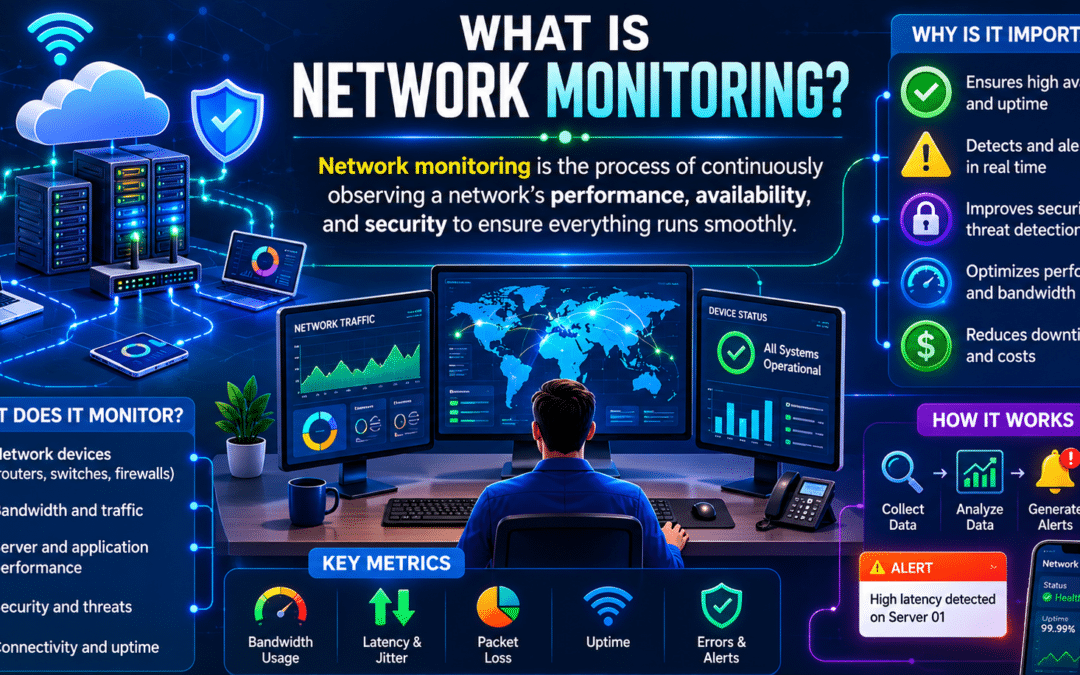
At its core, network monitoring is the continuous, automated process of watching over the devices, connections, and traffic that make up your business network. When something is wrong — a router going offline, a spike in bandwidth, or unusual outbound traffic — monitoring tools detect it immediately and alert your IT team.
This guide explains exactly how it works, what it tracks, and why it matters for businesses in New Jersey and beyond.
What Network Monitoring Actually Tracks
A well-configured monitoring system does not just check whether devices are online. It collects continuous data across every layer of the network. Here is an overview of what is typically tracked:
| What Is Monitored | Examples | Why It Matters |
| Device availability | Routers, switches, servers, firewalls, endpoints | Detects failures before they cause outages |
| Bandwidth usage | Traffic volume per device, application, or user | Identifies congestion and unexpected spikes |
| Network latency | Response times between devices and servers | Slow networks reduce productivity and signal problems |
| Packet loss | Percentage of data packets not reaching destination | Indicates connection quality and reliability issues |
| CPU and memory load | Resource usage on servers and critical devices | Predicts hardware failures before they occur |
| Traffic patterns | What types of data are flowing, and where | Detects anomalies that may indicate a breach |
| Security events | Unauthorized access attempts, port scans, unusual IPs | Supports early threat detection |
How Network Monitoring Works
Network monitoring relies on software agents or protocols — such as SNMP (Simple Network Management Protocol), ICMP ping, and flow-based analysis — to collect data from devices across the network. This data is sent to a central monitoring platform that:
- Compares current performance against established baselines
- Triggers alerts when metrics fall outside acceptable thresholds
- Logs events for historical analysis and compliance purposes
- Generates dashboards and reports for IT staff and management
Modern monitoring platforms operate in real time, meaning that a device failure at 2 a.m. on a Sunday triggers an alert immediately — not when someone arrives at the office on Monday morning.
Managed network monitoring through a provider like Computer Services New Jersey means that alerts are responded to 24/7, regardless of when the issue occurs.
Types of Network Monitoring
Different monitoring approaches cover different parts of the network. Most businesses benefit from using several in combination:
| Type | What It Covers | Best For |
| Availability monitoring | Whether devices and services are up or down | Detecting outages and failed components |
| Performance monitoring | Speed, latency, throughput, and resource utilization | Identifying bottlenecks before they impact users |
| Traffic / flow analysis | What data is moving across the network and where | Spotting unusual patterns and bandwidth hogs |
| Security / threat monitoring | Suspicious activity, intrusion attempts, policy violations | Early detection of cyberattacks |
| Configuration monitoring | Changes to device settings and firmware versions | Preventing unauthorized configuration changes |
| Log monitoring | System logs from servers, firewalls, and applications | Root cause analysis and compliance auditing |
Network Monitoring vs. Network Security: What Is the Difference?
These two terms are related but not interchangeable. Understanding the distinction helps businesses make better decisions about what they actually need.
| Network Monitoring | Network Security | |
| Primary goal | Track performance and availability | Detect and prevent threats |
| Alerts on | Outages, slowdowns, device failures | Attacks, breaches, unauthorized access |
| Tools used | SNMP, ping, flow analysis, dashboards | Firewalls, IDS/IPS, endpoint protection, SIEM |
| Works best when | Combined with security tools | Combined with monitoring tools |
| Who benefits | IT operations teams | Security and compliance teams |
Effective IT management uses both. Monitoring tells you when something is wrong with how the network is performing. Security tools tell you when someone is actively trying to compromise it. Together, they cover both dimensions of risk.
Key Benefits for Small and Mid-Sized Businesses
Reduced downtime
Most network failures do not happen instantly — they are preceded by warning signs. Monitoring catches those warning signs early, giving IT teams time to intervene before a slowdown becomes an outage.
Faster incident response
When an issue does occur, monitoring tools provide immediate context: which device failed, when it happened, and what preceded it. This dramatically reduces the time it takes to diagnose and resolve problems.
Better capacity planning
Historical monitoring data shows how network usage grows over time. This allows IT teams to plan infrastructure upgrades proactively — rather than reacting to problems caused by capacity limits being hit unexpectedly.
Early threat detection
Ransomware, data exfiltration, and unauthorized access all leave traces in network traffic. Monitoring tools can detect these anomalies — such as unusual outbound connections or a device communicating with unknown external IPs — and alert IT teams before an attack spreads.
Compliance support
Many regulatory frameworks — including HIPAA, PCI-DSS, and SOC 2 — require demonstrable evidence that network activity is logged and monitored. A managed monitoring solution simplifies compliance documentation significantly.
What Happens Without Network Monitoring
The absence of monitoring does not mean problems do not occur — it means they are not detected until someone notices them directly. In practice, that usually means:
- Users report slow performance or inability to connect — by which point productivity has already been lost
- Server failures go undetected overnight or over weekends, causing extended downtime
- Security breaches are discovered days or weeks after they began, increasing damage significantly
- IT teams spend more time on reactive troubleshooting than proactive maintenance
According to industry estimates, the average cost of unplanned downtime for small businesses ranges from hundreds to thousands of dollars per hour — costs that proactive monitoring is specifically designed to prevent.
How Computer Services New Jersey Monitors Your Network
At Computer Services New Jersey, network monitoring is a core component of our managed IT services offering. Our approach includes:
- 24/7 automated monitoring of all devices, connections, and traffic on your network
- Real-time alerting when performance thresholds are crossed or anomalies are detected
- Dedicated response team available around the clock — not just during business hours
- Monthly reporting so you always have visibility into network health trends
- Integration with cybersecurity monitoring for comprehensive coverage
Our network monitoring services are designed specifically for small and mid-sized businesses in New Jersey that need enterprise-grade monitoring without the complexity or cost of building it in-house.
Already experiencing network slowdowns or reliability issues? Contact us for a free consultation and network assessment.
Conclusion
What is network monitoring comes down to this: it is the difference between finding out about problems before they affect your business, and finding out after the damage is done. For any organization that relies on its network to operate — which today means virtually every business — monitoring is not optional infrastructure. It is a baseline requirement.
If your network is not currently monitored around the clock, the question is not whether something will eventually go wrong. It is whether you will know about it in time to do something about it.
FAQ — FREQUENTLY ASKED QUESTIONS
The questions below are recommended for FAQ structured data (JSON-LD) implementation on the published page.
| What is network monitoring? | Network monitoring is the continuous process of tracking the performance, availability, and health of a computer network. It involves automated tools that detect issues — such as device failures, slowdowns, or security threats — and alert IT teams before problems escalate. |
| Why do businesses need network monitoring? | Without monitoring, small network issues can go unnoticed until they cause significant downtime or data loss. Proactive monitoring reduces outages, improves security, and helps businesses meet uptime requirements. |
| What does network monitoring software detect? | Network monitoring tools detect bandwidth spikes, device failures, unusual traffic patterns, unauthorized access attempts, latency issues, and packet loss — among other performance and security indicators. |
| Is network monitoring the same as cybersecurity? | No, but they overlap. Network monitoring tracks performance and availability. Cybersecurity focuses specifically on threats and protection. Effective IT management uses both: monitoring catches anomalies, and security tools respond to threats. |
| How much does network monitoring cost for a small business? | Costs vary depending on network size and service level. Managed network monitoring through an IT provider is typically more cost-effective for small businesses than building in-house monitoring infrastructure from scratch. |
| Can network monitoring detect ransomware? | Yes. Ransomware often triggers unusual network behavior — such as large-scale file encryption activity or unexpected outbound connections. Monitoring tools can flag these patterns, enabling faster response before the attack spreads. |
Author
-
At Computer Services New Jersey, led by George Ancuta, we believe that small and midsize businesses deserve the same level of security, reliability, and strategic foresight as global financial institutions. Our firm provides more than just support; we offer a quarter-century of technical perspective forged in the world’s most demanding financial and corporate environments.