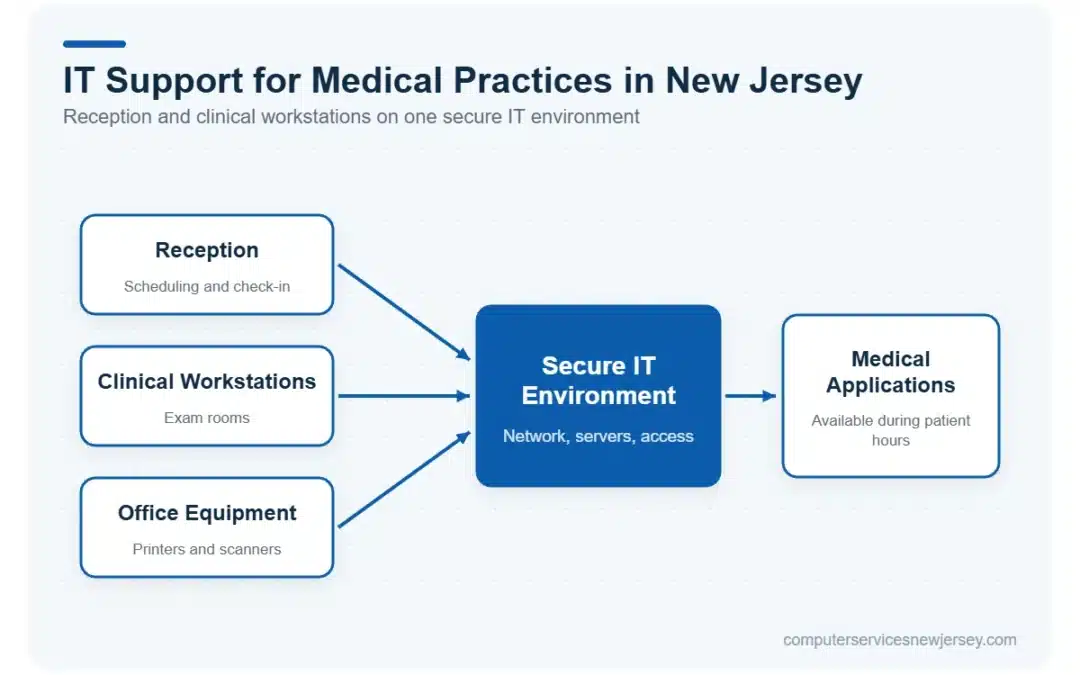
IT support for medical practices in New Jersey helps healthcare offices keep the technology behind patient care and daily operations reliable and accessible. From reception workstations and clinical computers to networks, medical applications, and office equipment, a technical problem in one area can quickly affect several workflows.
Computer Services New Jersey helps medical practices address everyday IT issues, maintain essential technology, and plan for the infrastructure and support their teams depend on. The goal is a practical IT environment that supports staff throughout the working day without adding unnecessary complexity.
Table of Contents
- Why Medical Practices Need Specialized IT Support
- IT Support Services for Medical Practices
- Cybersecurity and Patient Data Protection
- Backup and Disaster Recovery for Medical Practices
- IT Support for Multi-Location Medical Practices
- Proactive Monitoring and Responsive IT Support
- Start With an IT Assessment for Your Medical Practice
- Frequently Asked Questions About IT Support for Medical Practices
Why Medical Practices Need Specialized IT Support
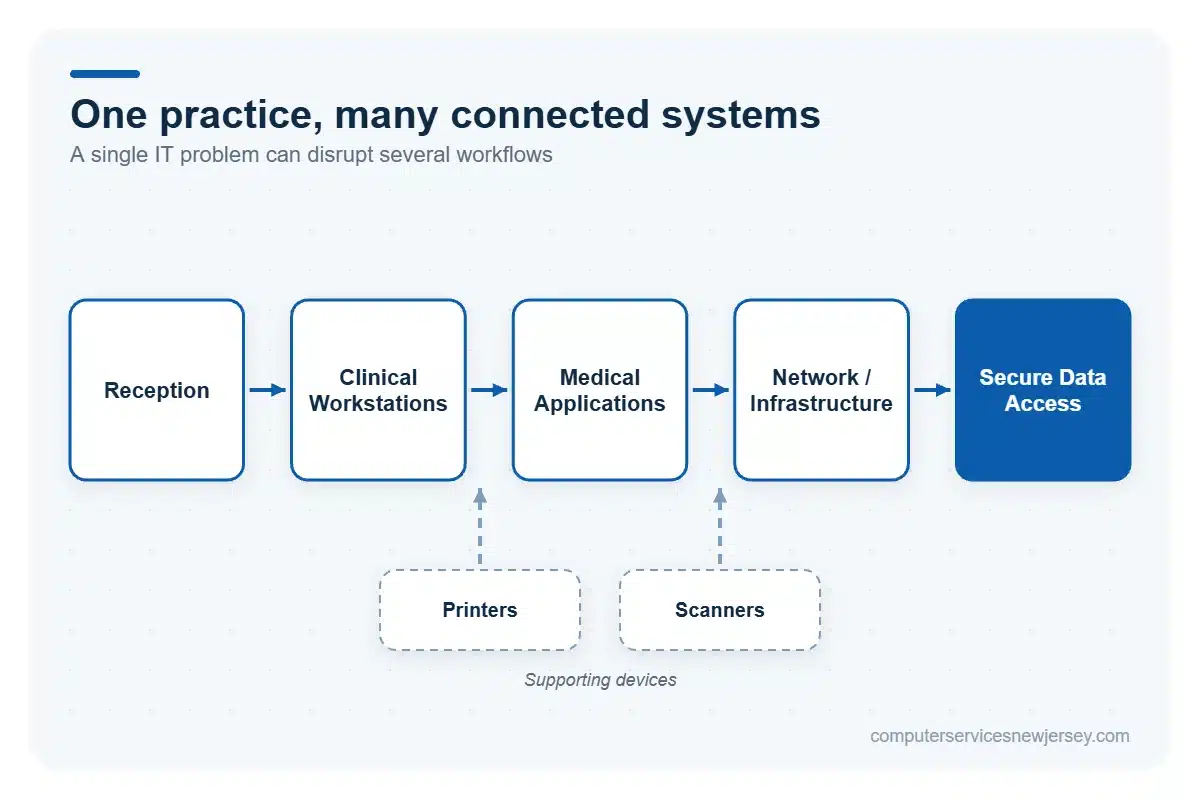
Medical practices depend on multiple connected technologies throughout patient hours. Reception staff may need reliable computers for scheduling and check-in, while clinical teams rely on workstations in exam rooms to access applications and information needed during patient visits. If a workstation, network connection, or shared resource becomes unavailable, the disruption can extend beyond a single employee.
Medical applications add another layer of dependency. These systems may be supplied by specialized vendors, but their performance can still depend on the practice’s computers, servers, network connectivity, and other local infrastructure. Printers, scanners, and administrative peripherals also support routine tasks and can create workflow delays when they stop working properly.
This interconnected environment is why healthcare offices benefit from IT support that considers the practice as a whole rather than treating every technical problem in isolation. Reliable infrastructure, responsive troubleshooting, and secure access to sensitive patient information all contribute to smoother daily operations.
For practices looking for broader IT support for New Jersey businesses, Computer Services New Jersey can help maintain the technology and infrastructure employees depend on throughout the workday.
IT Support Services for Medical Practices
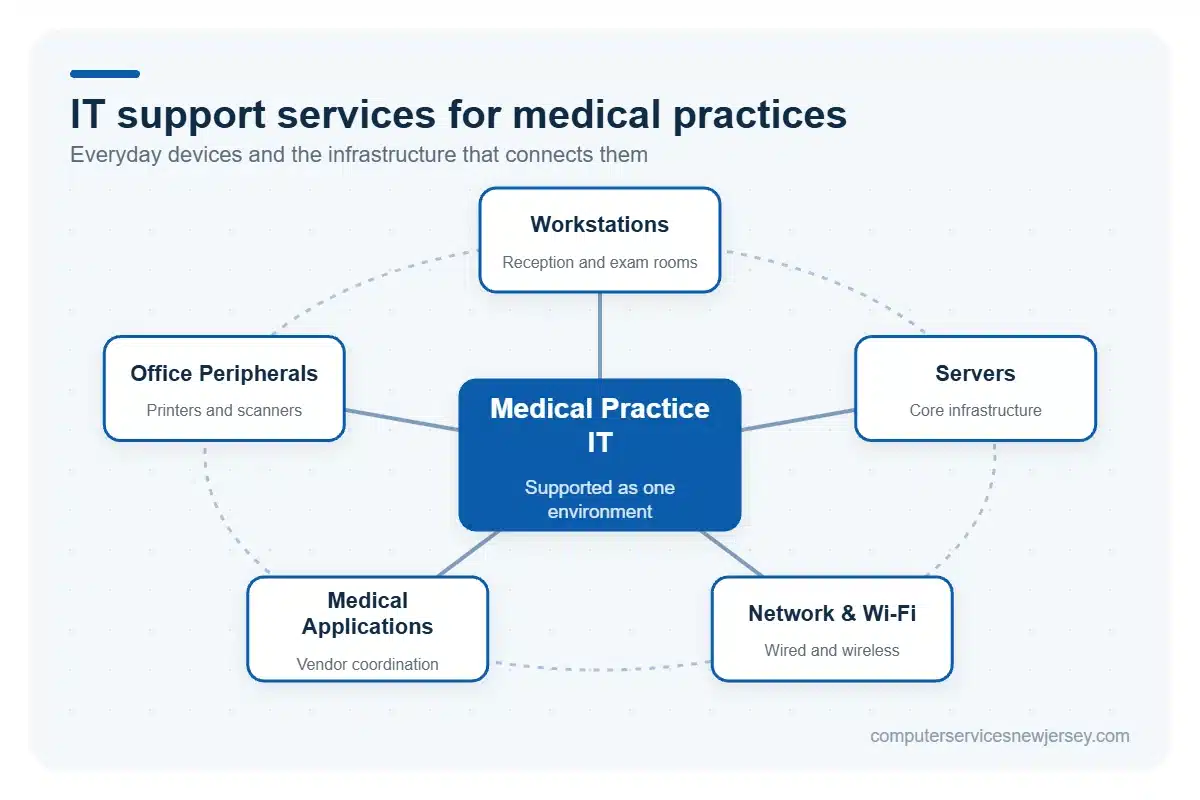
Reliable medical practice IT support needs to cover both the devices employees use every day and the infrastructure connecting those devices to applications and shared resources. This includes workstations, servers, wired and wireless networks, medical applications, and office peripherals. Supporting these components as a connected environment helps practices address everyday technical problems while maintaining dependable access to the technology used across administrative and clinical workflows.
Workstations and Everyday IT Equipment
Reception desks, administrative offices, and clinical rooms all depend on computers that perform reliably throughout the day. A workstation problem can interfere with scheduling, patient check-in, documentation, or other routine tasks, particularly when employees need access to shared applications and resources.
IT support can include troubleshooting and maintaining desktop computers, laptops, printers, scanners, and other everyday peripherals used across the practice. Addressing device performance, software issues, and equipment connectivity helps staff spend less time working around technical problems. It also gives practices a more consistent approach to supporting the equipment used by both administrative and clinical teams.
Servers, Networks and Business Wi-Fi
Servers and network infrastructure connect employees to the applications, files, devices, and shared resources they need during patient hours. When network connectivity becomes unreliable, the effects can reach reception areas, clinical workstations, printers, and other systems at the same time.
Medical practices therefore need stable wired connections and reliable business Wi-Fi that can support the way staff work across the office. IT support can help troubleshoot connectivity problems, maintain core network infrastructure, and identify issues affecting access to networked resources. A dependable network does not eliminate every possible technology problem, but it provides the foundation required for employees to use connected applications and systems consistently throughout the workday.
Medical Applications and Vendor Coordination
Medical practices may use specialized clinical, scheduling, billing, or other healthcare applications supplied by third-party vendors. When a problem occurs, determining whether it originates with the application or the surrounding IT environment can require coordination between providers.
An IT provider can troubleshoot workstations, servers, connectivity, permissions, and other infrastructure that may affect application performance. When necessary, the provider can also coordinate with the software vendor to help identify the source of the issue and support its resolution. This gives the practice a practical point of coordination without implying that one provider directly supports every medical application.
Broader managed IT services can help maintain the infrastructure these applications depend on.
Cybersecurity and Patient Data Protection
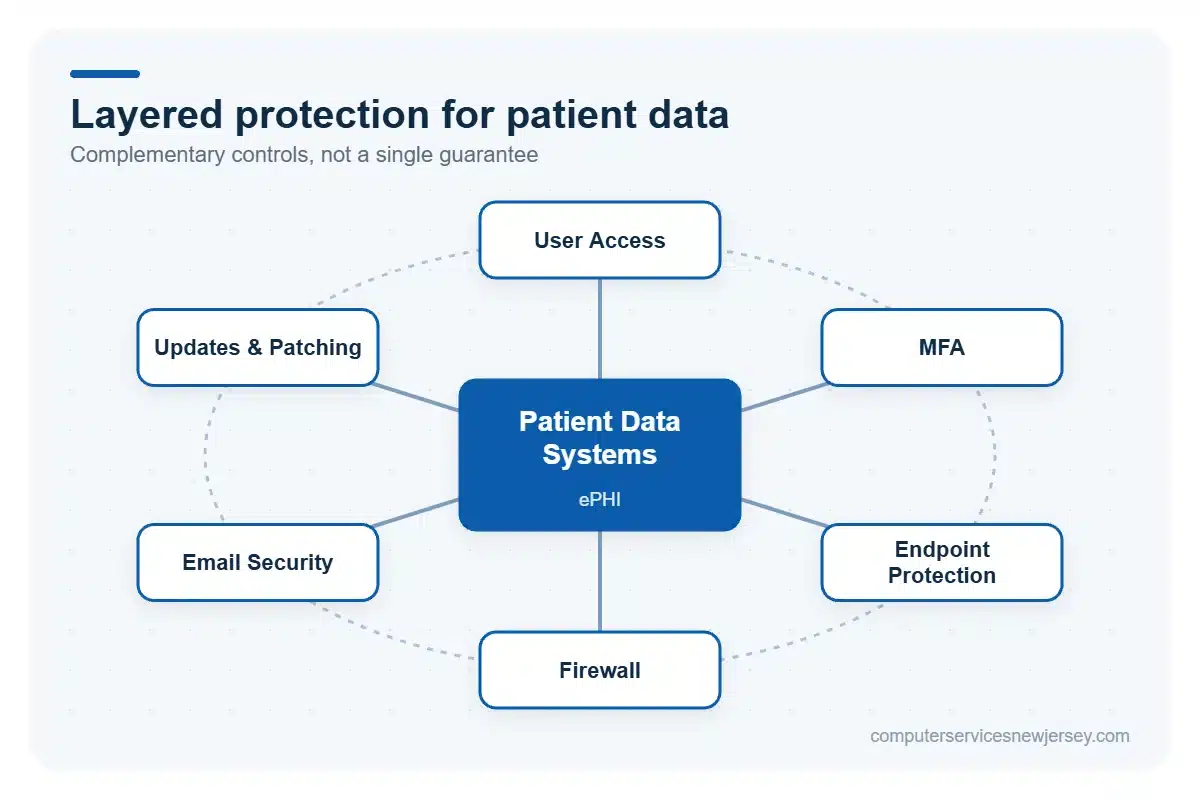
Medical practices need security measures that protect systems, user accounts, and sensitive patient information without making everyday access unnecessarily difficult for authorized staff. The HIPAA Security Rule establishes administrative, physical, and technical safeguards for protecting electronic protected health information (ePHI), but technology services alone do not make a practice HIPAA compliant.
A practical security approach therefore combines appropriate access management with protection for the devices, networks, and communication channels employees use throughout the workday.
Account Security and Access Management
User accounts should provide employees with access appropriate to their responsibilities while limiting unnecessary access to systems and information. This makes account and permission management an important part of protecting a medical practice’s IT environment.
Multi-factor authentication (MFA) can add another layer to the sign-in process, while properly managed permissions help control which resources individual users can access. Access should also be reviewed as employees join the practice, move into different roles, or leave the organization. Prompt onboarding and offboarding procedures help keep accounts aligned with current staffing and responsibilities.
These measures support more deliberate control over access to business systems and sensitive information without assuming that a single security control can address every risk.
Endpoint, Network and Email Security
Medical practices can use several complementary security layers to reduce exposure across computers, networks, and communications. Endpoint protection helps address threats affecting workstations and other devices, while firewall protection helps control network traffic according to configured security rules.
Patching and software updates are also important because outdated operating systems and applications can leave known vulnerabilities unaddressed. Email security adds another layer by helping organizations manage risks associated with malicious messages, attachments, links, and other email-based threats.
None of these controls can guarantee that a cyberattack will never succeed. Instead, they work together as part of a broader security approach designed to reduce risk and strengthen protection across the practice’s technology environment.
Appropriate cybersecurity services can help medical practices coordinate these security layers while maintaining the access employees need for everyday operations.
Backup and Disaster Recovery for Medical Practices
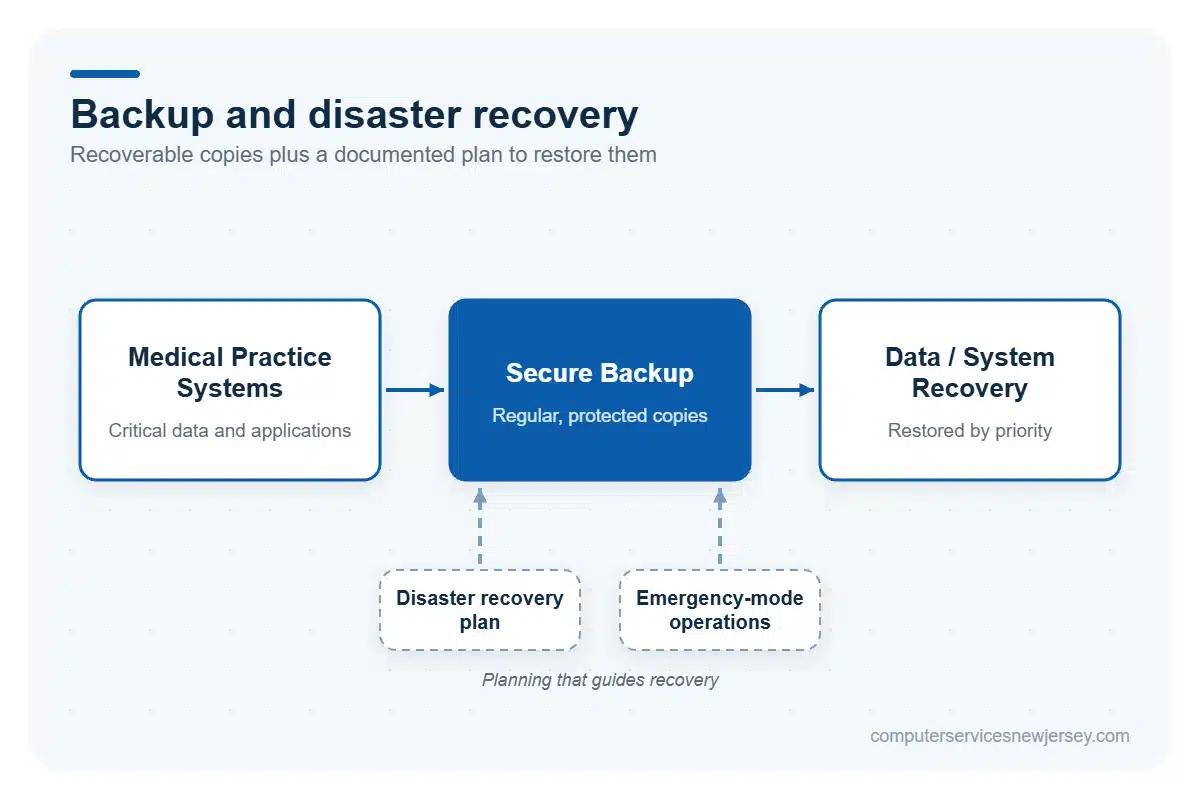
Backup and disaster recovery help medical practices prepare for situations in which critical data or systems become unavailable because of hardware failure, data loss, a cyber incident, or another disruption. Regular backups of important information provide recoverable copies, while secure backup storage helps protect those copies as part of the broader recovery strategy.
Recovery planning should also define how important data and systems will be restored and which resources should receive priority when normal operations are disrupted. A documented disaster recovery approach gives the practice a clearer process to follow instead of making recovery decisions only after an incident occurs.
For organizations subject to HIPAA, contingency planning under the Security Rule includes requirements related to data backup, disaster recovery, and emergency-mode operations. These requirements reinforce the importance of planning for continued access to critical information, but using a particular backup service does not by itself make a medical practice HIPAA compliant.
Reliable cloud backup services can form part of this strategy by supporting protected data copies and recovery planning. The appropriate approach depends on the practice’s systems, data, operational needs, and recovery priorities.
IT Support for Multi-Location Medical Practices
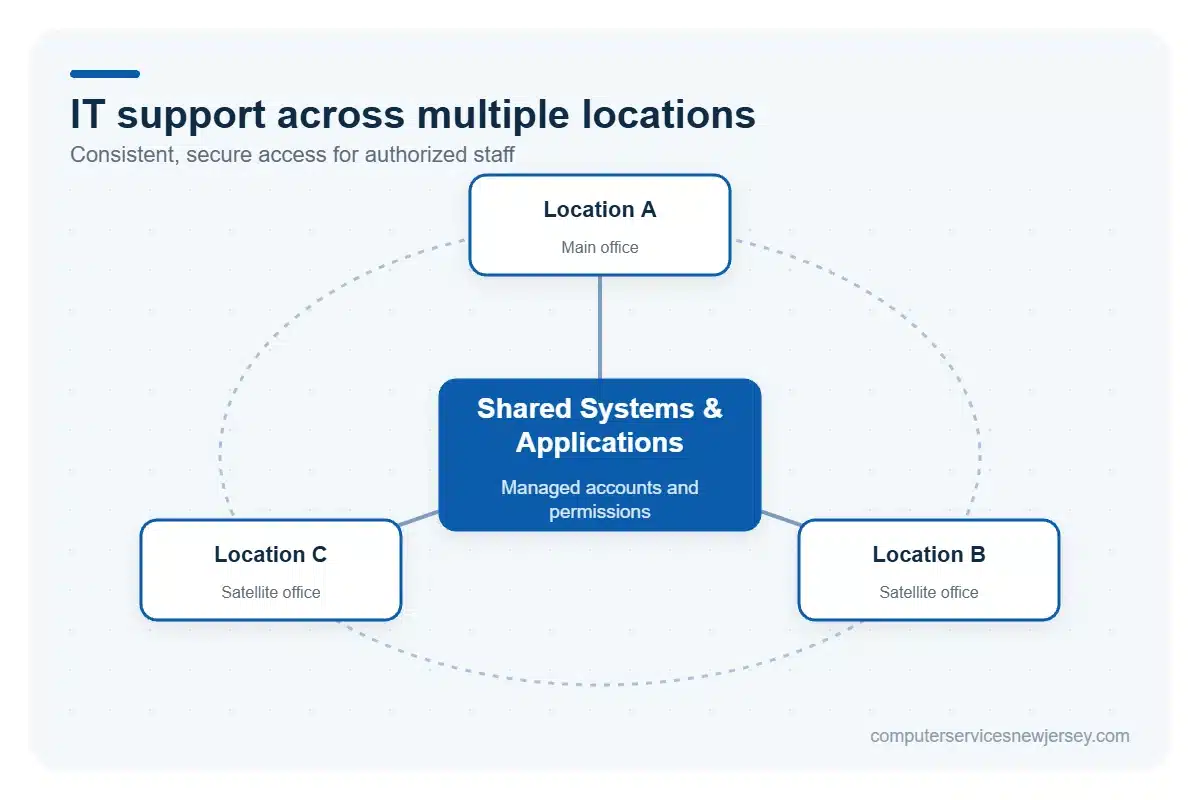
Medical practices operating from multiple locations need consistent access to the systems, applications, and business resources employees use throughout the day. IT support can help maintain connectivity between locations while keeping user accounts and permissions aligned with staff responsibilities. A coordinated approach also makes it easier to manage access when employees work across different offices and to maintain consistent technology practices throughout the organization.
Secure Access Across Multiple Locations
Employees working from different practice locations may need access to the same business systems, applications, and shared resources. Reliable connectivity between locations helps make those resources available to authorized staff without requiring each office to operate as an isolated technology environment.
IT support can help practices manage user access across locations, troubleshoot connectivity issues, and maintain consistent practices for how employees connect to shared systems. Permissions can also be adjusted as responsibilities or work locations change. The appropriate setup depends on the practice’s existing infrastructure, applications, and operational requirements, so access should be planned around how staff actually work across the organization.
Proactive Monitoring and Responsive IT Support
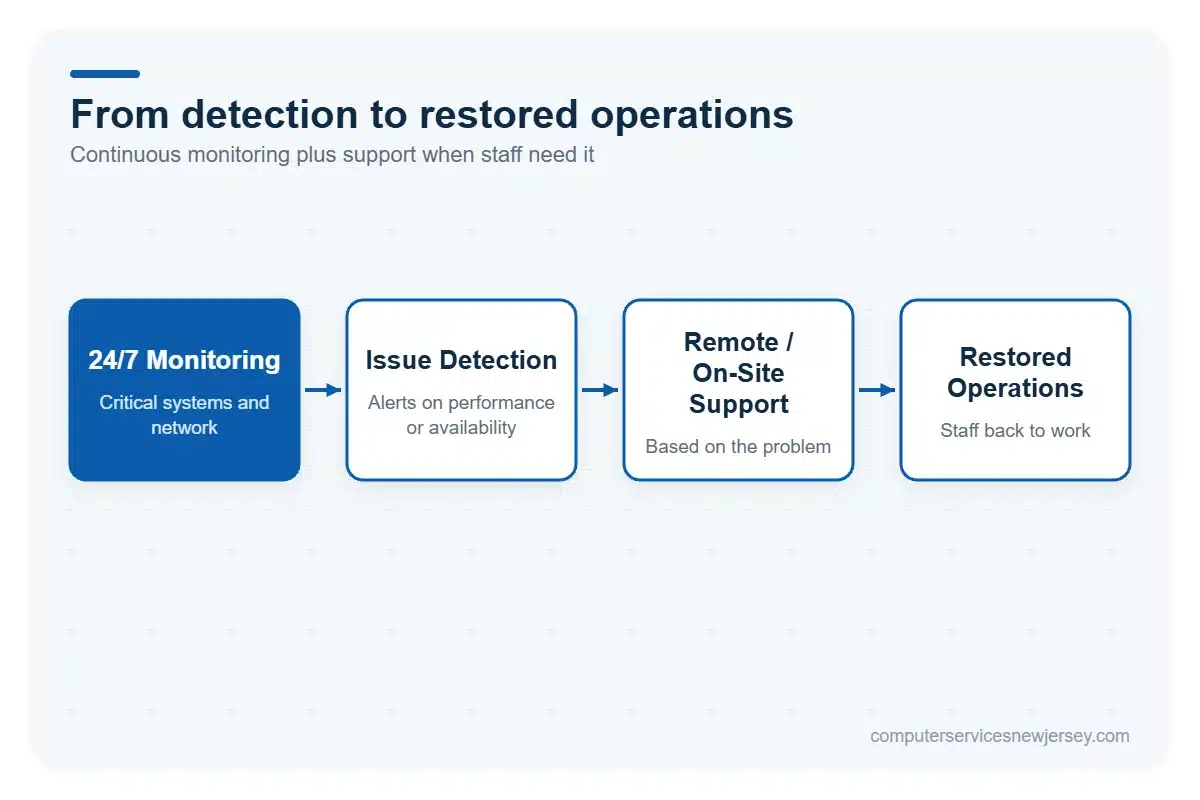
Technology problems can interrupt patient-facing and administrative workflows when they are not identified and addressed promptly. Proactive monitoring helps detect performance, connectivity, and availability issues across critical systems, while responsive support gives employees a way to get assistance when problems occur. Together, monitoring and remote IT support can help practices address technical issues earlier and reduce avoidable disruption without assuming that every outage can be prevented.
24/7 Monitoring to Reduce IT Disruptions
Continuous monitoring provides visibility into the health and availability of critical systems and network infrastructure, including issues that may develop outside normal office hours. Alerts can help identify unusual performance, connectivity problems, or unavailable resources so they can be investigated before the effects spread more widely across the practice.
Monitoring cannot prevent every hardware failure, service interruption, or unexpected outage. Its value is in providing earlier awareness of potential problems and supporting a more proactive response. For medical practices that depend on connected technology throughout patient hours, network monitoring services can help identify developing issues and reduce avoidable downtime caused by problems that might otherwise go unnoticed.
Remote and On-Site IT Support
Many everyday technology problems can be investigated and resolved remotely, allowing technicians to assist employees without waiting for an on-site visit. Remote support can be useful for software issues, user-access problems, configuration questions, and other situations that do not require physical work on equipment.
Some problems, however, require direct access to hardware, cabling, network equipment, or other infrastructure. In those cases, on-site assistance provides the physical intervention that remote troubleshooting cannot. Combining remote and on-site support gives medical practices practical options for addressing different types of IT issues while helping staff maintain reliable operations throughout patient hours.
Start With an IT Assessment for Your Medical Practice
An IT assessment can help a medical practice understand how well its current technology environment supports everyday operations and where improvements may be needed. The review can consider workstations and infrastructure, network performance and connectivity, security and access controls, backup and recovery processes, and current monitoring and support needs.
The right priorities will vary from one practice to another. A single-location office may have different requirements from a growing organization operating across several locations, while existing applications, infrastructure, staff workflows, and technology priorities can also influence the support strategy.
Rather than approaching each technology issue separately, an assessment provides an opportunity to look at the IT environment as a whole and identify areas that deserve attention based on the practice’s actual operations.
If your medical practice is looking for reliable technology support in New Jersey, contact Computer Services New Jersey to discuss your current IT environment, operational needs, and technology priorities.
Frequently Asked Questions About IT Support for Medical Practices
What IT support does a medical practice need?
Medical practices typically need support for workstations, networks, medical applications, cybersecurity, data backup and everyday technical issues. The exact requirements depend on factors such as practice size, existing infrastructure, applications and the number of locations.
Can an IT provider work with our medical software vendors?
Yes. An IT provider can help troubleshoot the practice’s technology environment and coordinate with medical software vendors when issues involve workstations, networks, connectivity or other infrastructure, helping identify where a technical problem originates.
Does using an IT provider make a medical practice HIPAA compliant?
No. IT support alone does not make a medical practice HIPAA compliant. However, technology services can support safeguards for protecting ePHI, while HIPAA compliance involves broader administrative, physical and technical requirements established by the HIPAA Security Rule.
Can IT support cover multiple medical practice locations?
Yes. IT support can help medical practices manage technology across multiple locations, including network connectivity, user access and technical support. The appropriate setup depends on the practice’s infrastructure, applications, security requirements and how employees access shared systems.
Need serious people to handle your biz? Work with us!
Author
-
At Computer Services New Jersey, led by George Ancuta, we believe that small and midsize businesses deserve the same level of security, reliability, and strategic foresight as global financial institutions. Our firm provides more than just support; we offer a quarter-century of technical perspective forged in the world’s most demanding financial and corporate environments.