In Short
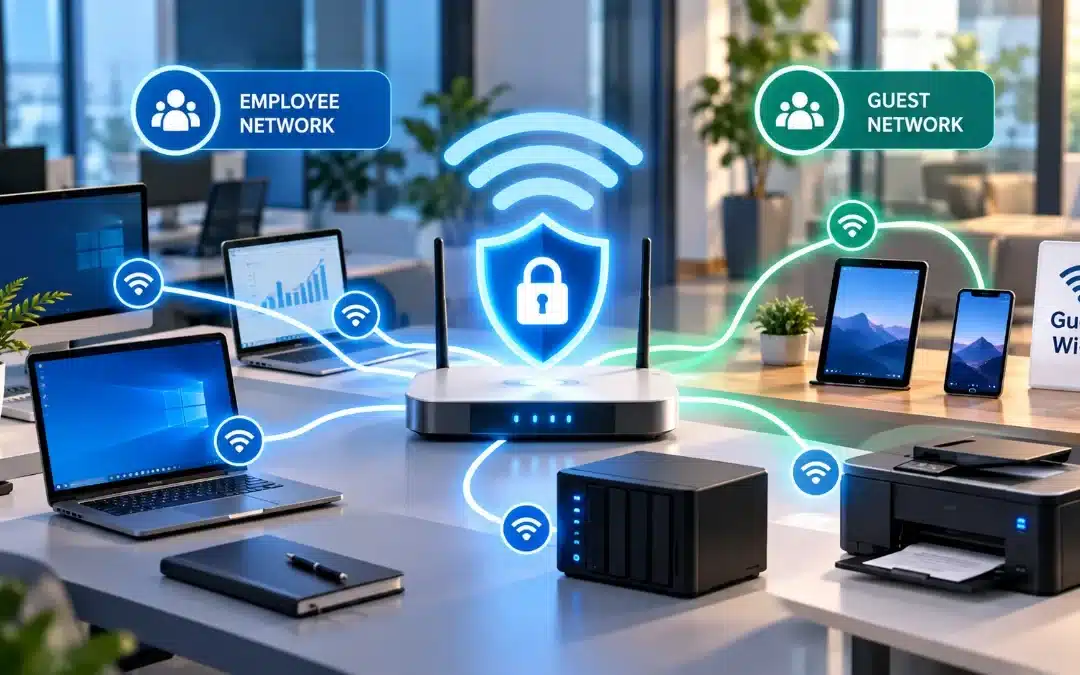
How secure is business Wi-Fi? It can be highly secure when properly configured and maintained. Modern encryption, strong authentication, separate guest networks, regular updates, and continuous monitoring help protect company devices and sensitive information. However, even business-grade equipment can become vulnerable when security settings are neglected.
Table of Contents
- How Secure Is Business Wi-Fi?
- What Are the Main Security Risks of Business Wi-Fi?
- Business Wi-Fi vs. Home Wi-Fi: Security Differences
- How to Secure a Business Wi-Fi Network
- How Can You Tell If Your Business Wi-Fi Is Secure?
- When Should You Get Professional Wi-Fi Security Support?
- Frequently Asked Questions
How Secure Is Business Wi-Fi?
How secure is business Wi-Fi? It can provide strong protection against unauthorized access when properly configured and maintained.
Modern encryption helps secure wireless communications, while access controls determine which employees and devices can connect. Together, these measures reduce the risk of unauthorized access to business systems.
The Federal Trade Commission (FTC) recommends modern wireless encryption, secure router administration, and separate guest networks to help small businesses protect their systems.
The key is not simply having business Wi-Fi, but ensuring the network is configured and maintained securely.
What Are the Main Security Risks of Business Wi-Fi?
Small businesses should understand the most common wireless network security risks.
1. Unauthorized Network Access
Weak or shared passwords can allow unauthorized devices to connect to a company’s wireless network.
If internal resources are not properly protected, an unauthorized connection could expose sensitive business systems.
2. Outdated Routers and Access Points
Wireless equipment that no longer receives security updates may contain known vulnerabilities.
Regular firmware updates and timely equipment replacement help reduce these risks.
3. Unsecured Guest Wi-Fi
When visitors and employees use the same network, guest devices may gain unnecessary access to internal resources.
A properly isolated guest network helps protect company computers, servers, and business applications.
4. Fake Wireless Networks
Attackers may create deceptive Wi-Fi networks that imitate legitimate business connections.
Employees who connect to these networks could expose credentials or sensitive communications.
5. Insufficient Network Monitoring
Without monitoring, businesses may overlook unknown devices, unusual network activity, or unauthorized configuration changes.
These risks demonstrate why wireless security requires ongoing attention.
Business Wi-Fi vs. Home Wi-Fi: Security Differences
Home and business Wi-Fi can use similar encryption technologies. However, business networks often support more advanced access controls and management capabilities.
| Security Feature | Typical Home Wi-Fi | Properly Configured Business Wi-Fi |
|---|---|---|
| Authentication | Shared household password | Individual or managed authentication |
| Guest access | Optional guest network | Isolated guest access |
| Network management | Basic router settings | Centralized administration |
| Access permissions | Limited separation | Role-based or device-based restrictions |
| Security updates | Often managed manually | Scheduled or centrally managed |
| Monitoring | Basic connected-device visibility | Advanced monitoring and alerts |
Not every business Wi-Fi system includes these capabilities. Security depends on the equipment selected and how the network is configured.
For organizations handling confidential information, access management and network segmentation are particularly important.
How to Secure a Business Wi-Fi Network
Small businesses can improve wireless security by implementing several essential measures.
Use WPA3 or Secure WPA2 Encryption
WPA3 is a modern wireless security standard and should be preferred when supported.
If WPA3 is unavailable, properly configured WPA2 with AES encryption remains an option.
Avoid outdated protocols such as WEP and older WPA configurations.
For businesses requiring individual employee authentication, WPA2-Enterprise or WPA3-Enterprise may provide additional access management capabilities.
Separate Guest and Employee Networks
Create a dedicated guest Wi-Fi network for customers and visitors.
Configure network segmentation and firewall rules to prevent guest devices from accessing internal company systems.
A different Wi-Fi network name alone does not guarantee proper isolation.
Protect Administrative Access
Replace default router and access point administrator credentials with strong, unique passwords.
Disable unnecessary remote administration and restrict management access to authorized personnel.
Enable multi-factor authentication for network management platforms when available.
Keep Network Equipment Updated
Install firmware and security updates for routers, wireless access points, firewalls, and related management software.
Replace unsupported devices that no longer receive security patches.
Restrict Access to Sensitive Systems
Employees and connected devices should only access the resources necessary for their responsibilities.
Consider separating accounting systems, payment-processing devices, and other sensitive equipment from general wireless traffic.
Monitor Network Activity
Review connected devices, security alerts, administrative changes, and unusual activity.
The National Institute of Standards and Technology (NIST) emphasizes secure wireless configuration, maintenance, and monitoring throughout the network lifecycle.
How Can You Tell If Your Business Wi-Fi Is Secure?
A basic security review can help identify common weaknesses.
Use this checklist:
- WPA3 or appropriately configured WPA2 encryption is enabled.
- Default administrator credentials have been changed.
- Guest Wi-Fi is isolated from internal business systems.
- Wireless equipment receives security updates.
- Only authorized personnel can manage network settings.
- Unknown devices and suspicious activity are investigated.
- Unnecessary remote administration is disabled.
- Network access is reviewed when employees leave.
Completing these checks can reduce common risks, but it does not replace a professional security assessment.
A more comprehensive review may also examine firewall rules, network segmentation, device authentication, and access to sensitive applications.
When Should You Get Professional Wi-Fi Security Support?
Small businesses may benefit from professional support when expanding their office, adding employees, introducing guest Wi-Fi, or handling more sensitive information.
Professional assistance is especially valuable when:
- Employees and visitors share the same wireless network.
- The company operates multiple access points.
- Connectivity problems occur frequently.
- There is no documented update or monitoring process.
- Business owners are unsure who can access network administration settings.
Computer Services New Jersey (CSNJ) provides cybersecurity services and professional IT support in New Jersey to help businesses strengthen and maintain their IT infrastructure.
A professional review can help identify weaknesses and determine which security improvements are appropriate.
Protect Your Business Wi-Fi With Computer Services New Jersey
Secure wireless networking supports business operations, protects access to company systems, and reduces avoidable cybersecurity risks.
Computer Services New Jersey helps small and mid-sized businesses address network security, IT infrastructure, and ongoing technical support needs.
Whether your organization needs to review its wireless security settings, improve network reliability, or strengthen its cybersecurity strategy, professional IT guidance can help.
Contact Computer Services New Jersey to discuss your business network and security needs.
Frequently Asked Questions
Is business Wi-Fi more secure than home Wi-Fi?
Business Wi-Fi can offer stronger access management, network segmentation, and monitoring capabilities. However, security depends on the equipment and configuration. A poorly configured business network may be less secure than a properly maintained home network.
Can someone hack business Wi-Fi?
Yes. Business Wi-Fi can be compromised through weak credentials, vulnerable equipment, misconfigurations, or other attack methods. Modern encryption, strong authentication, regular updates, and network segmentation help reduce these risks.
Is WPA3 necessary for business Wi-Fi?
WPA3 is recommended when supported, but properly configured WPA2 with AES can still provide protection for compatible environments. Businesses should avoid obsolete security protocols and assess whether enterprise authentication is appropriate.
Should a small business have separate guest Wi-Fi?
Yes. Guest Wi-Fi should be separated from the internal business network. Proper isolation helps prevent visitors’ devices from accessing company computers, servers, and other sensitive resources.
How often should business Wi-Fi security be reviewed?
Businesses should review wireless security regularly, especially after equipment changes, employee departures, security alerts, or office expansions. Security updates and monitoring should be ongoing rather than limited to an annual review.
References
Author
-
At Computer Services New Jersey, led by George Ancuta, we believe that small and midsize businesses deserve the same level of security, reliability, and strategic foresight as global financial institutions. Our firm provides more than just support; we offer a quarter-century of technical perspective forged in the world’s most demanding financial and corporate environments.