In Short
- What is lift and shift cloud migration? It is a cloud migration strategy that moves an existing workload from its current environment to cloud infrastructure with little or no change to the application itself.
- Lift and shift is also known as rehosting.
- It can provide a faster migration path because businesses do not need to redesign or rewrite applications before moving them.
- The approach can work well for compatible legacy workloads, data center exits, infrastructure upgrades, or businesses that want to migrate first and modernize later.
- Lift and shift does not automatically deliver every cloud-native benefit. Workloads may require optimization after migration to improve cost, scalability, performance, or management.
- Businesses should assess applications, dependencies, security, networking, performance, and costs before deciding whether rehosting is the right migration strategy.
Table of Contents
- What Is Lift and Shift Cloud Migration?
- How Does Lift and Shift Cloud Migration Work?
- Lift and Shift vs. Replatforming vs. Refactoring
- What Are the Benefits of Lift and Shift?
- What Are the Limitations of Lift and Shift?
- When Does Lift and Shift Make Sense for a Business?
- What Should You Assess Before a Lift and Shift Migration?
- Lift and Shift Cloud Migration for New Jersey Businesses
- Frequently Asked Questions (FAQ)
What Is Lift and Shift Cloud Migration?
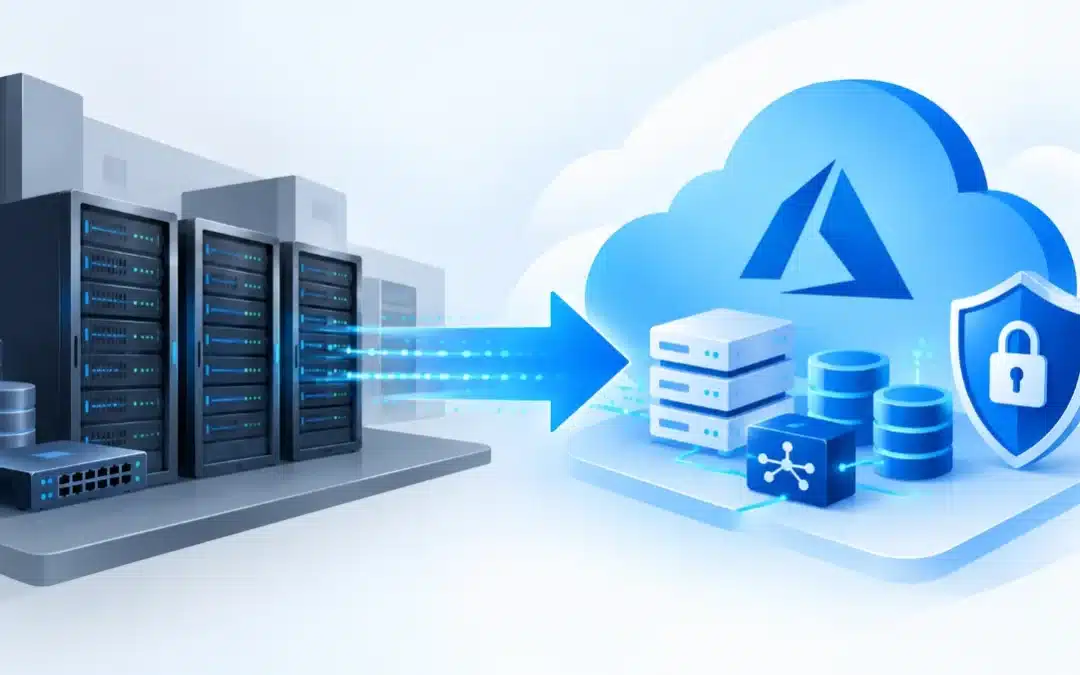
Lift and shift cloud migration is the process of moving an existing application or workload from its current environment to cloud infrastructure with little or no modification to the application itself.
The strategy is also called rehosting. Microsoft defines rehosting as moving a workload to Azure infrastructure without code changes. Instead of redesigning how the application works, the organization changes where it runs.
For example, a business might move an application running on an on-premises Windows Server virtual machine to an Azure virtual machine while keeping the application’s existing architecture largely unchanged.
AWS uses the same basic definition: rehosting, or lift and shift, moves applications from their source environment to the cloud without making changes to the application.
This makes lift and shift one of the more straightforward ways for a business to begin moving existing infrastructure to the cloud.
How Does Lift and Shift Cloud Migration Work?
A lift-and-shift project does not simply mean copying a server and hoping that it works in the cloud.
The process should begin with an assessment of the existing IT environment. The business needs to identify which servers, applications, workloads, databases, dependencies, and network connections are involved.
A typical process may include:
- Assess the existing environment. Identify applications, servers, storage, databases, dependencies, networking requirements, and current resource usage.
- Determine workload suitability. Not every application should automatically be rehosted. Some workloads may be better suited to replatforming, modernization, replacement, retirement, or remaining on-premises.
- Design the target cloud environment. Plan cloud resources, networking, security, identity, storage, backup, and connectivity.
- Prepare and migrate the workload. Move the selected applications, virtual machines, and associated data into the target cloud environment.
- Test the migrated systems. Confirm that applications, dependencies, network connections, security controls, and business processes function correctly.
- Optimize after migration. Review resource sizing, costs, monitoring, security, backup, performance, and opportunities for further modernization.
Microsoft’s Azure guidance describes lift and shift as moving on-premises workloads to Azure Infrastructure as a Service (IaaS) with minimal changes to application architecture. Existing communication patterns, dependencies, and configurations may therefore need to be supported in the new cloud environment.
Lift and Shift vs. Replatforming vs. Refactoring
Lift and shift is only one cloud migration strategy.
Understanding the difference between common approaches can help a business avoid choosing a migration method simply because it appears to be the fastest.
| Migration Strategy | What Happens | Level of Change | Typical Goal |
|---|---|---|---|
| Rehost / Lift and Shift | Existing workload moves to cloud infrastructure | Low | Migrate quickly with minimal application changes |
| Replatform | Workload moves to the cloud with selected optimizations | Moderate | Gain additional cloud benefits without completely rebuilding |
| Refactor / Re-architect | Application architecture or code is significantly changed | High | Take greater advantage of cloud-native capabilities |
Microsoft describes replatforming as making minimal changes to use Azure platform services, while refactoring involves restructuring code to improve areas such as performance, scalability, or maintainability.
AWS similarly distinguishes rehosting from replatforming: rehosting moves the application without changes, while replatforming introduces some optimization to improve operation, reduce costs, or take advantage of cloud capabilities.
There is therefore no universally correct migration strategy. Different workloads within the same company may require different approaches.
What Are the Benefits of Lift and Shift?
One of the main advantages of lift and shift is that it can reduce the amount of application change required during the initial migration.
Faster Migration
Because the application does not need to be completely rewritten before it moves, rehosting can be faster than a major modernization project.
Microsoft describes rehosting as a fast, relatively low-risk strategy for straightforward workloads where migration speed is important.
Less Application Modification
Existing applications can often retain much of their current architecture and configuration.
That can be useful when a company relies on legacy software that still performs an important business function but does not yet need to be rebuilt.
A Practical First Step Toward Modernization
Moving a workload to the cloud does not mean the modernization process has to end there.
A company can rehost first and then evaluate opportunities to optimize or modernize individual workloads after the initial migration. AWS notes that applications can be easier to optimize or re-architect once they are already operating in the cloud.
Reduced Migration Complexity
Keeping the initial architecture relatively similar can reduce some of the development work associated with a major application redesign.
This can be particularly useful when the primary business objective is to move away from aging on-premises infrastructure rather than redesign every application at the same time.
What Are the Limitations of Lift and Shift?
Lift and shift can simplify the initial migration, but it does not automatically optimize an application for its new cloud environment.
This distinction is important.
It May Not Use Cloud-Native Capabilities
A rehosted application may continue operating much as it did on-premises.
Google Cloud notes that rehosting makes few changes during migration, but one drawback is that the workload may not take advantage of all the cloud-native capabilities and efficiencies available in the public cloud.
Existing Inefficiencies Can Move to the Cloud
If a server is oversized, poorly configured, or inefficient before migration, simply moving it does not necessarily correct those problems.
The migration can transfer the workload without solving every architectural issue.
Costs Still Need to Be Managed
Cloud infrastructure is not automatically less expensive simply because it is in the cloud.
Resource sizing, storage, data transfer, licensing, backup, monitoring, and other services can all affect the final cost.
For this reason, businesses should review and optimize workloads after migration instead of treating the move itself as the end of the project.
Some Applications Are Poor Candidates
Applications with complex hardware dependencies, strict latency requirements, unsupported operating systems, licensing restrictions, or tightly connected legacy components may require a different approach.
A pre-migration assessment helps determine whether rehosting is technically and financially appropriate.
When Does Lift and Shift Make Sense for a Business?
Lift and shift can make sense when the business has a clear reason to move infrastructure quickly but does not need—or cannot justify—a full application redesign at the same time.
Common scenarios include:
- replacing aging on-premises infrastructure;
- leaving or reducing dependence on an on-premises data center;
- moving compatible virtual machines to cloud infrastructure;
- migrating legacy applications that still meet business needs;
- avoiding a major application rewrite during the initial migration;
- moving workloads first and modernizing them in later phases.
AWS identifies situations such as limited time or resources for application modernization and the need to leave an on-premises data center as potential use cases for rehosting.
However, businesses should avoid choosing lift and shift solely because it sounds easier.
The right question is not simply “Can this workload be moved?” It is “What migration strategy gives this workload the best balance of cost, risk, performance, security, and future flexibility?”
What Should You Assess Before a Lift and Shift Migration?
A successful migration begins before any workload is moved.
Businesses should assess several areas first:
| Area to Assess | Why It Matters |
|---|---|
| Application compatibility | Determines whether the workload can operate correctly in the target cloud environment |
| Dependencies | Identifies other applications, databases, servers, or services the workload requires |
| Performance requirements | Helps size cloud resources appropriately |
| Network connectivity | Ensures users and connected systems can reach the migrated workload |
| Security | Determines required identity, access, firewall, encryption, and monitoring controls |
| Backup and recovery | Defines how the workload and its data will be protected |
| Licensing | Identifies software licensing requirements or restrictions |
| Cloud cost | Helps avoid migrating an inefficient configuration without considering its ongoing expense |
| Downtime tolerance | Helps determine the migration and cutover plan |
Microsoft’s Azure Migrate assessment guidance specifically evaluates factors such as workload readiness, appropriate target resources, source properties, migration tools, estimated Azure hosting costs, and migration recommendations.
This assessment is one of the most important parts of the project because a workload that can be rehosted is not necessarily a workload that should be rehosted.
Lift and Shift Cloud Migration for New Jersey Businesses
For a New Jersey business, lift and shift can provide a practical path from on-premises infrastructure to Microsoft Azure when existing applications and servers remain useful but the underlying infrastructure needs to change.
Computer Services New Jersey provides cloud migration services for New Jersey businesses, including migrations of servers, applications, workloads, and business data to Microsoft Azure and Microsoft 365. Its service also covers hybrid and fully cloud-based environments and post-migration optimization for performance, security, and cost efficiency.
That last stage matters. A successful cloud project should not stop when the workload begins running in Azure.
After migration, businesses should review performance, resource allocation, security, backup, monitoring, and cost to determine whether the workload should remain rehosted or whether further modernization would provide additional value.
For companies that need ongoing support after migration, managed IT services can help integrate cloud infrastructure into the broader IT environment.
A professional assessment can determine which workloads are good candidates for lift and shift and which should follow a different migration strategy.
Frequently Asked Questions (FAQ)
What does lift and shift mean in cloud migration?
Lift and shift means moving an existing application or workload from its current environment to cloud infrastructure with little or no modification to the application itself. The strategy is also called rehosting. Microsoft describes Azure rehosting as moving a workload to Azure infrastructure without changing its code.
Is lift and shift the same as rehosting?
Yes. Lift and shift is commonly called rehosting. AWS defines rehost as moving an application from its source environment to the cloud without making changes to the application.
What is the difference between lift and shift and replatforming?
Lift and shift keeps the workload largely unchanged while moving it to cloud infrastructure. Replatforming introduces some changes or optimizations so the workload can take greater advantage of cloud services.
Is lift and shift cheaper than rebuilding an application?
It can require less initial development effort because the application does not need to be completely redesigned before migration. However, the total cost depends on the workload, infrastructure, licensing, resource usage, and post-migration optimization. Rehosting should therefore not be assumed to be the least expensive long-term strategy for every application.
Can a business modernize an application after a lift and shift migration?
Yes. Rehosting can be an initial migration stage followed by later optimization or modernization. AWS notes that applications may be easier to optimize or re-architect after they are already operating in the cloud.
Is lift and shift right for every application?
No. The appropriate strategy depends on the workload’s architecture, dependencies, compatibility, performance requirements, security needs, costs, and business objectives. Some applications may be better suited to replatforming, refactoring, replacement, retention, or retirement.
Need serious people to handle your biz? Work with us!
Author
-
At Computer Services New Jersey, led by George Ancuta, we believe that small and midsize businesses deserve the same level of security, reliability, and strategic foresight as global financial institutions. Our firm provides more than just support; we offer a quarter-century of technical perspective forged in the world’s most demanding financial and corporate environments.