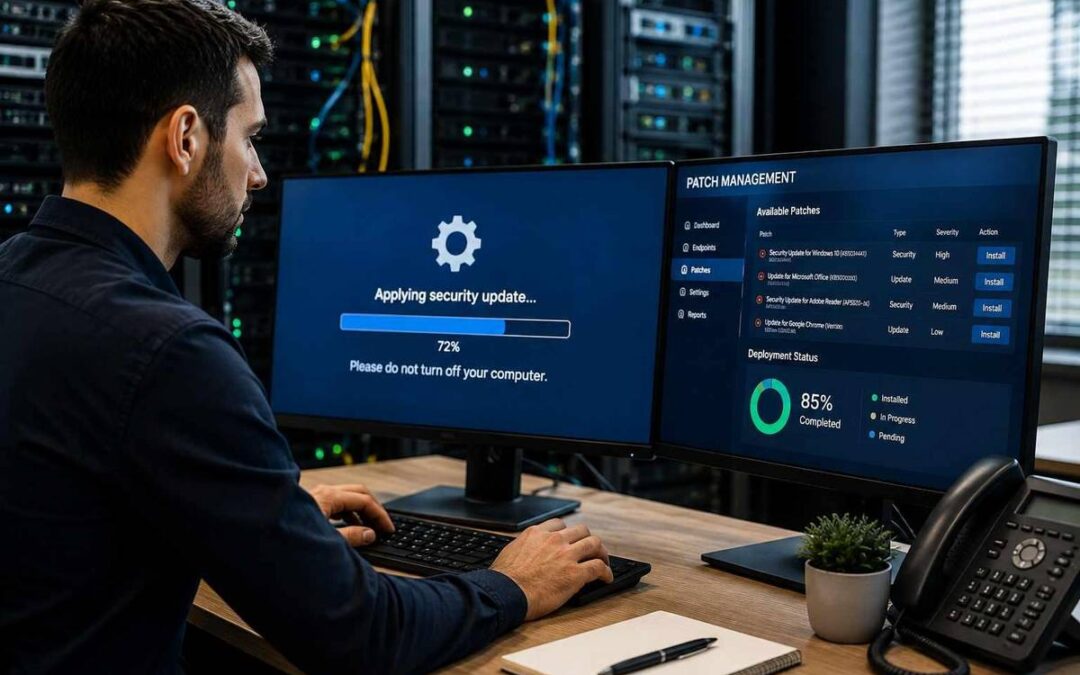
Software vulnerabilities are discovered continuously across operating systems, applications, and network devices. When software vendors find these security flaws, they release updates — known as patches — to fix them.
Without a structured patch management system, your company leaves open backdoors for cybercriminals to compromise your network, steal sensitive data, or install ransomware.
TL;DR — IN SHORT
- Patch management is the process of acquiring, testing, and applying software updates (patches) to fix bugs and security vulnerabilities.
- Unpatched software is one of the primary entry points used by cybercriminals to breach business networks and deploy ransomware.
- Automated patching ensures systems remain updated without interrupting day-to-day employee productivity.
- An effective strategy requires continuous scanning, prioritizing critical assets, testing updates, and maintaining complete system inventory.
Here is what patch management involves, why it is vital for your security, and how to implement it effectively.
What Is Patch Management?
Patch management is the centralized process of identifying, acquiring, testing, and applying code updates (patches) to software, operating systems, applications, and firmware across an organization’s computers and network devices.
Patches perform three primary functions:
- Security fixes: Repairing known vulnerabilities before attackers can exploit them.
- Bug fixes & stability: Resolving system crashes, glitches, and performance issues.
- Feature enhancements: Adding new capabilities and ensuring compatibility with modern software.
Comparing Manual vs. Automated Patch Management
| Feature | Manual Patching | Automated Patch Management |
|---|---|---|
| Coverage | Inconsistent; prone to missed devices or applications. | Comprehensive; covers all connected devices automatically. |
| Time Investment | High; requires IT staff to update each system individually. | Low; updates run on set schedules in the background. |
| Security Lag | Slow; critical patches may take weeks or months to apply. | Fast; high-severity patches are deployed almost immediately. |
| Downtime | Risk of unexpected reboots during work hours. | Low; updates scheduled during off-hours to prevent disruption. |
Why Patch Management Is Critical for Business Security
1. Prevents Ransomware & Cyber Attacks
The majority of successful network breaches exploit known security vulnerabilities for which a patch was already available. Attackers use automated scanners to find unpatched software exposed to the internet, allowing them to gain access without needing a password.
2. Ensures Regulatory & Industry Compliance
Cybersecurity frameworks and regulatory standards (such as PCI-DSS, HIPAA, SOC 2, and GDPR) mandate that businesses maintain up-to-date systems. Failing to apply patches promptly can result in compliance violations, heavy fines, and failed audits.
3. Reduces System Downtime & Fixes Bugs
Patches aren’t just for security — they also address stability issues. Unpatched bugs can cause application crashes, data loss, and hardware instability, leading to costly employee downtime.
4. Maintains Software Compatibility
As software ecosystems evolve, outdated applications stop working properly with modern operating systems or third-party tools. Regular updates prevent software legacy issues and keep your technology stack running smoothly.
Best Practices for an Effective Patch Strategy
- Maintain a complete asset inventory: You cannot patch what you don’t know exists. Keep an up-to-date inventory of all hardware, operating systems, and third-party software across your network.
- Prioritize patches by severity: Focus on critical vulnerabilities (especially zero-day threats and external-facing systems) before deploying routine feature updates.
- Test before widespread deployment: Deploy patches to a small test environment or non-critical devices first to ensure the update doesn’t conflict with line-of-business applications.
- Automate the deployment process: Use centralized patch management software to automatically push updates to end-user systems during off-peak hours.
- Verify and audit patching success: Continually scan your network after patch cycles to confirm that updates applied successfully across all devices.
Conclusion
Patch management is one of the foundational pillars of modern cybersecurity. Delaying or ignoring software updates leaves your business exposed to preventable cyberattacks, data loss, and regulatory penalties.
Want to streamline your network maintenance and eliminate security gaps? Our cybersecurity team provides automated system updates and monitoring. Discover our full range of managed IT services or contact us today for a complete vulnerability assessment.
Frequently Asked Questions
What is the difference between an update and a patch?
An update is a broad release adding features or performance tweaks, while a patch is a targeted update specifically designed to fix a bug or security vulnerability.
How quickly should security patches be applied?
Critical security patches addressing active vulnerabilities should ideally be applied within 24 to 72 hours of release.
Can patch management be fully automated?
Yes, centralized IT systems can automatically download, test, and schedule patch deployments across thousands of endpoints with minimal intervention.
Why do patches sometimes break software?
Code changes in a patch can occasionally conflict with custom configurations, legacy software, or third-party drivers — which is why pre-deployment testing is critical.
Sources
Author
-
At Computer Services New Jersey, led by George Ancuta, we believe that small and midsize businesses deserve the same level of security, reliability, and strategic foresight as global financial institutions. Our firm provides more than just support; we offer a quarter-century of technical perspective forged in the world’s most demanding financial and corporate environments.