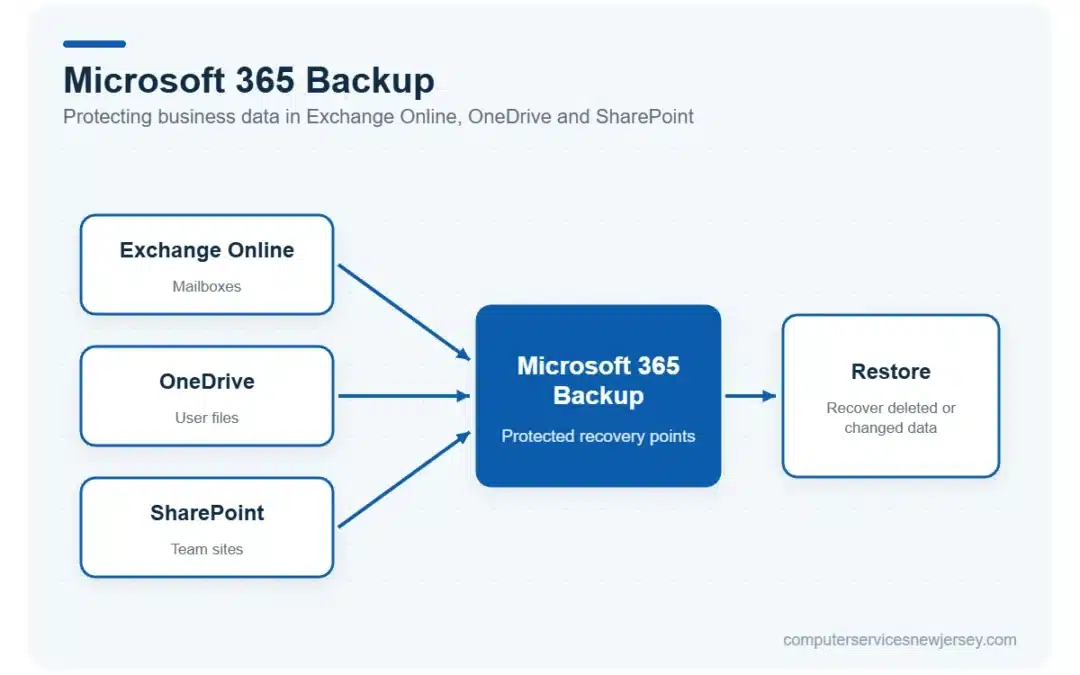
Microsoft 365 Backup gives businesses another way to protect and recover data stored in Exchange Online, OneDrive, and SharePoint when information is deleted, changed, or affected by a security incident. Accidental deletion, compromised accounts, ransomware, and administrative mistakes can all create situations where important business data needs to be restored.
Microsoft 365 includes native retention and recovery capabilities, but those features do not remove the need for a defined backup and recovery plan. Businesses should understand what is protected, how recovery works, and which safeguards are needed alongside backup.
Table of Contents
- Microsoft 365 Backup vs. Retention and Native Recovery Features
- What Is Microsoft 365 Backup?
- Why Microsoft 365 Data Still Needs a Recovery Plan
- How Microsoft 365 Backup Policies and Data Restoration Work
- Microsoft 365 Backup vs. Third-Party Backup Solutions
- Microsoft 365 Backup Requirements and Pricing
- RPO and RTO: What Do They Mean for Microsoft 365 Backup?
- How to Maintain a Microsoft 365 Backup Plan
- Microsoft 365 Backup Is Only One Part of Data Protection
- Build a Microsoft 365 Data Protection Plan That Fits Your Business
- Frequently Asked Questions About Microsoft 365 Backup
Microsoft 365 Backup vs. Retention and Native Recovery Features
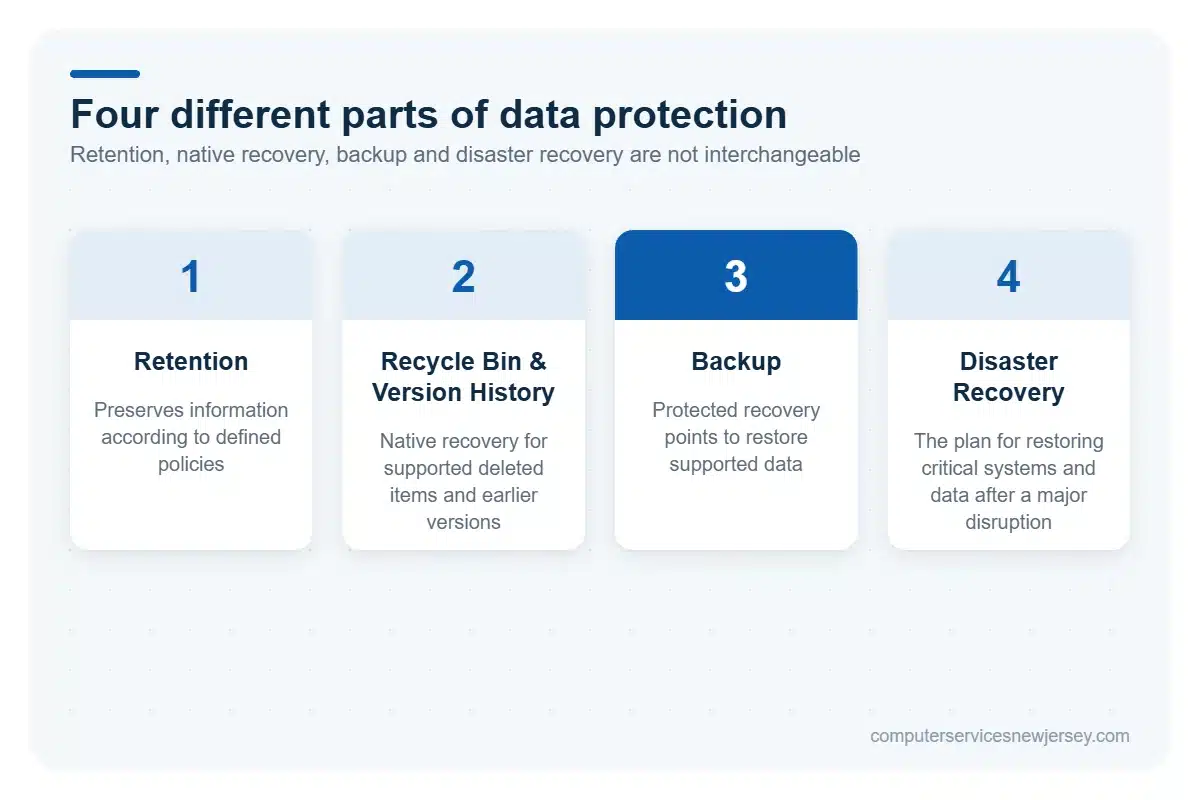
Backup, retention, native recovery features, and disaster recovery all contribute to data protection, but they solve different problems.
Retention is primarily about preserving information according to defined policies, often for business, regulatory, or compliance purposes. Recycle bins and version history provide native ways to recover certain deleted items or return supported content to an earlier version. Their availability and behavior depend on the Microsoft 365 service and its configuration.
Backup creates protected recovery points that can be used to restore supported Microsoft 365 data after events such as accidental or malicious deletion, unwanted changes, or ransomware. Microsoft 365 Backup currently supports protection for Exchange Online mailboxes, OneDrive accounts, and SharePoint sites.
Disaster recovery, meanwhile, is broader. It defines how an organization plans to restore access to critical systems and data following a significant disruption.
These mechanisms should not be treated as interchangeable. Native recovery options can be valuable, but businesses still need to define what information requires protection, how it will be recovered, and who is responsible for the process. A broader cloud backup services strategy can help organizations align backup decisions with their operational and recovery requirements.
What Is Microsoft 365 Backup?
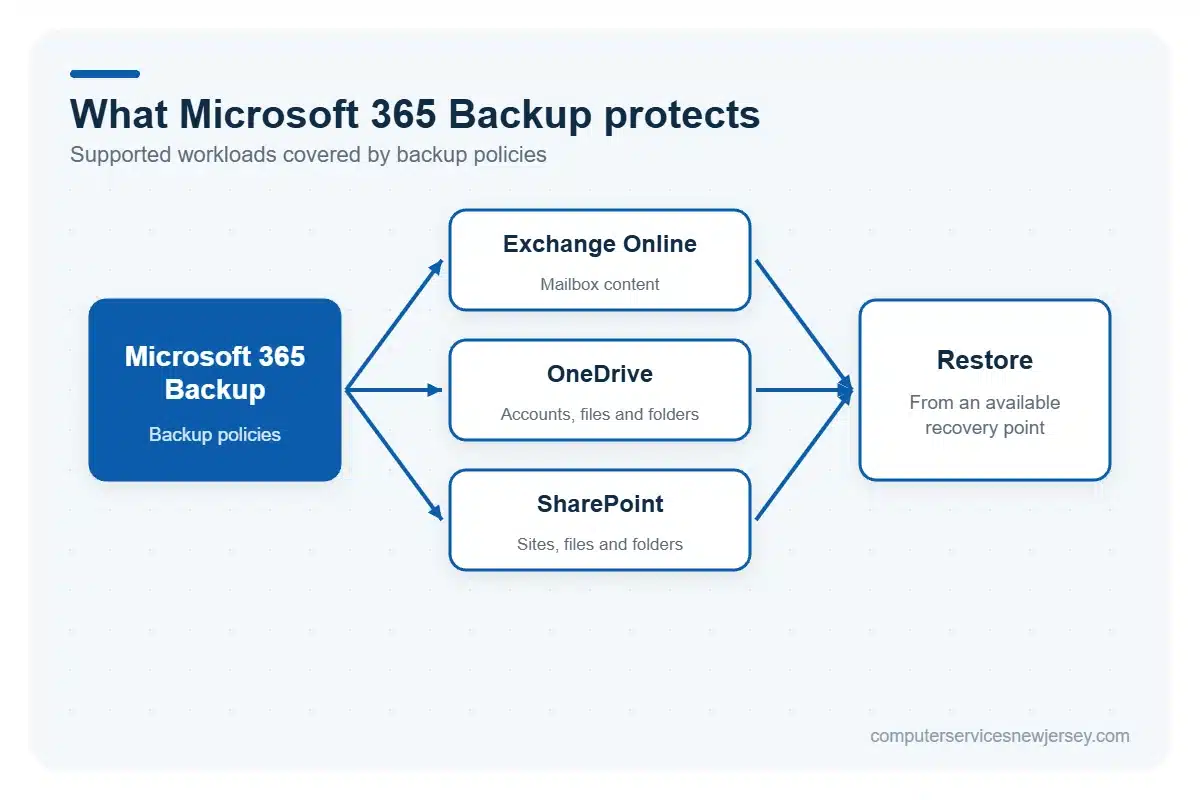
Microsoft 365 Backup is Microsoft’s backup and recovery service for supported Microsoft 365 workloads. Businesses can create backup policies for selected Exchange Online mailboxes, OneDrive accounts, and SharePoint sites, generating recovery points that can later be used when protected information needs to be restored.
The service is therefore centered on two related processes: defining which supported content should be protected through backup policies and using available restore operations when recovery is required.
Exchange Online Backup
Microsoft 365 Backup can protect Exchange Online mailbox data and provide restore capabilities when supported mailbox content is deleted or modified. This can help in scenarios involving accidental deletion, malicious activity, or other unwanted changes to business email data.
Restore options include mailbox content such as email, contacts, calendars, notes, and tasks, with administrators able to recover supported modified or deleted items from an available prior recovery point.
For businesses already using Microsoft-hosted email, backup should form part of a broader cloud email strategy that also considers account security and reliable access to communications.
OneDrive Backup
For OneDrive, Microsoft 365 Backup protects selected accounts so business data can be recovered from available prior recovery points when files or other supported content are deleted, changed, or affected by an incident.
Depending on the recovery scenario, administrators can restore a protected OneDrive account or recover selected files and folders. This gives businesses a recovery option for situations where important working documents have been unintentionally altered, maliciously modified, or removed.
The purpose is not to replace OneDrive’s native recovery features, but to provide a dedicated backup and restoration layer for protected business data.
SharePoint Backup
Microsoft 365 Backup can also protect selected SharePoint sites and their business content. When protected information is affected by unwanted changes, deletion, ransomware, or another disruption, administrators can restore supported SharePoint content from available recovery points.
Recovery can involve an entire protected site or, where supported, selected files and folders. This is particularly relevant for organizations that rely on SharePoint for shared documents and collaborative business information.
Backup therefore gives businesses an additional recovery mechanism for protected SharePoint content without changing SharePoint’s primary role as a collaboration and document management platform.
Why Microsoft 365 Data Still Needs a Recovery Plan
Having backup and native recovery capabilities does not answer every question a business will face during a data-loss incident. A useful recovery plan defines in advance what needs protection, who can initiate recovery, and how critical information will be restored when normal access is disrupted.
Several situations can create a need for Microsoft 365 data recovery:
- Accidental deletion: an employee or administrator may unintentionally remove emails, files, or other business information.
- Compromised accounts: unauthorized access can result in content being altered or deleted.
- Ransomware: malicious activity may encrypt, modify, or remove data that an affected account or device can access.
- Administrative mistakes: configuration changes or administrator actions can have unintended consequences for business information.
Backup can help with recovery after these events, but it does not prevent them. MFA, endpoint protection, email security, access controls, and other cybersecurity measures address different parts of the risk.
Businesses should therefore know which Microsoft 365 workloads and accounts are protected, who has responsibility for backup and restore operations, and how recovery fits into the organization’s broader disaster recovery plan. Defining these responsibilities before an incident makes the recovery process more deliberate instead of forcing teams to make critical decisions while systems or data are already unavailable.
How Microsoft 365 Backup Policies and Data Restoration Work
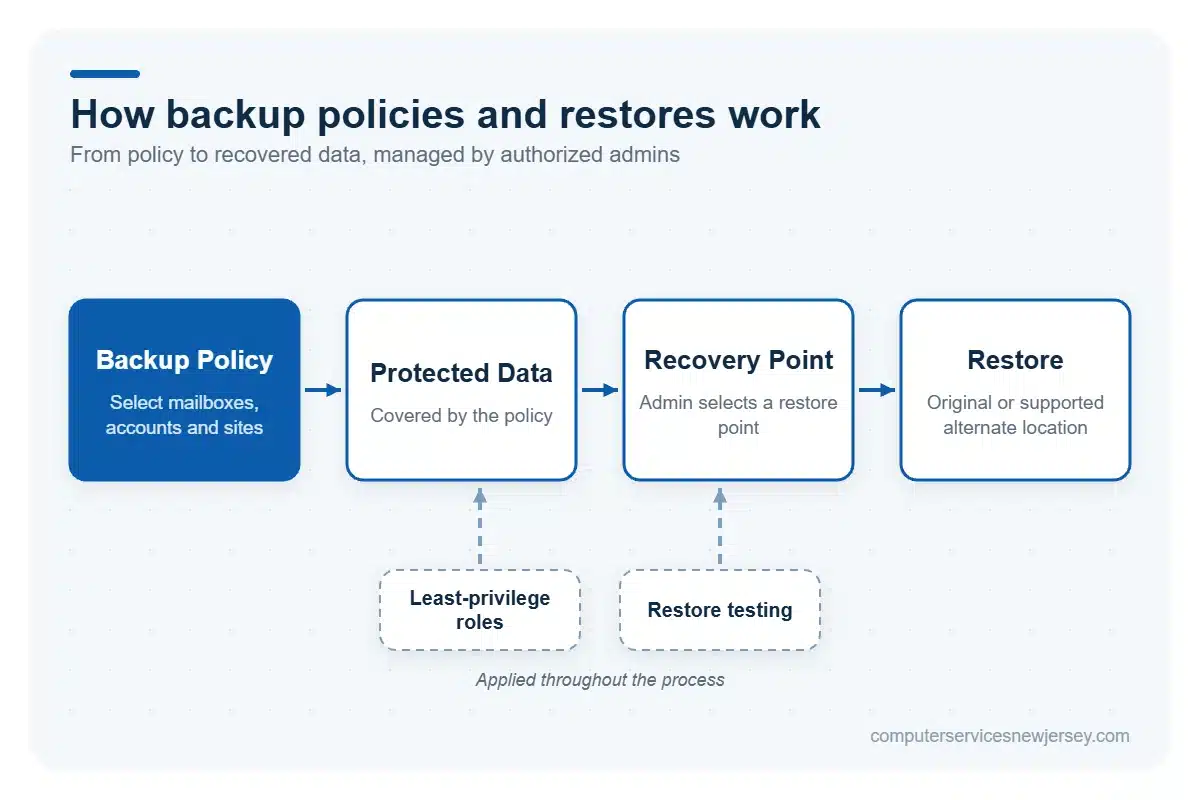
Microsoft 365 Backup policies define which supported data is placed under backup protection. Administrators create policies for Exchange Online, OneDrive, and SharePoint and select the mailboxes, accounts, or sites that should be protected. This allows organizations to align backup coverage with their actual business and recovery requirements.
When recovery is needed, an authorized administrator selects the protected data and an available restore point. Depending on the workload and restore scenario, Microsoft 365 Backup provides options for restoring protected content to its original location or, where supported, another location.
Backup and restore capabilities should be restricted to appropriate administrative roles. Microsoft recommends using roles with the fewest permissions necessary, helping organizations apply the principle of least privilege rather than providing broad administrative access simply because someone may need to manage backups.
Businesses should also establish who is responsible for creating and reviewing backup policies, initiating restores, and verifying recovery results. Periodic restore testing can help confirm that administrators understand the process and that the organization’s recovery procedures remain practical when data actually needs to be recovered.
Microsoft 365 Backup vs. Third-Party Backup Solutions
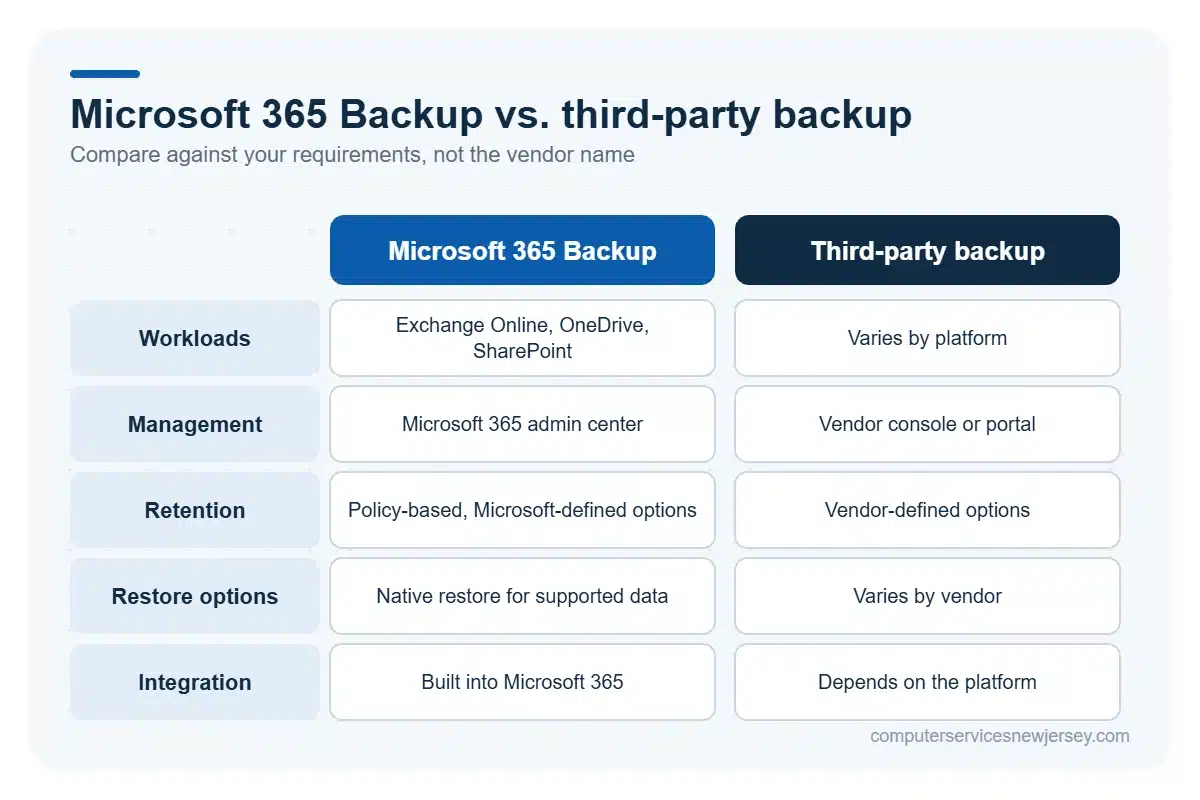
Microsoft 365 Backup is not the only approach businesses can use to protect Microsoft 365 data. Third-party backup platforms are also available, and the right choice depends on what an organization needs to protect and how it expects recovery to work.
Microsoft 365 Backup is integrated with the Microsoft 365 environment and provides backup and restore capabilities for supported Exchange Online, OneDrive, and SharePoint data. Third-party solutions can differ in the workloads they support, how backup data is stored and managed, available retention choices, restore options, reporting, integrations, and the way administrators manage multiple environments.
These differences matter because organizations do not all have the same recovery objectives. A business may prefer a Microsoft-native approach because it fits its existing environment, while another may require capabilities, management options, or supported services available through a third-party platform.
Rather than assuming one option is universally better, businesses should compare solutions against practical requirements: which workloads need protection, how long recovery points need to remain available, what restore capabilities are required, how backup administration should work, and how the solution fits the existing IT environment.
The decision should ultimately reflect the organization’s Microsoft 365 data protection requirements and recovery objectives rather than the name of the backup provider.
Microsoft 365 Backup Requirements and Pricing
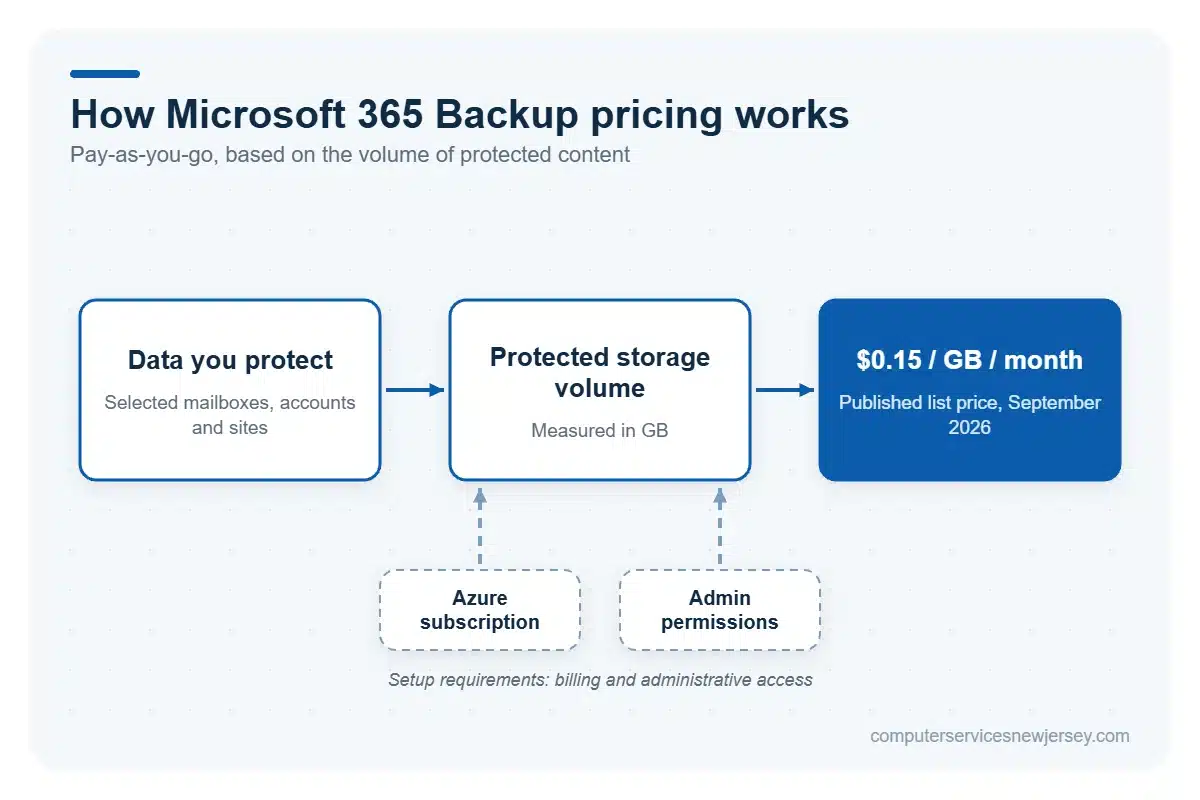
Microsoft 365 Backup is configured through the Microsoft 365 admin center and uses a pay-as-you-go billing model. Initial setup requires a Microsoft 365 environment, a valid Azure subscription for billing, and appropriate administrative permissions. Microsoft currently requires a SharePoint Administrator or Global Administrator to access the Microsoft 365 admin center and set up Microsoft 365 Backup. After setup, management permissions vary by workload, with roles including SharePoint Administrator, Exchange Administrator, Global Administrator, and the dedicated Microsoft 365 Backup Administrator.
As of September 2026, Microsoft’s published list price for Microsoft 365 Backup is $0.15 per GB per month of protected content. The service is consumption-based rather than priced as a traditional per-user backup license.
Actual costs therefore depend on the amount and type of Microsoft 365 data placed under protection and the organization’s backup configuration. A company protecting a larger volume of Exchange Online, OneDrive, and SharePoint data can incur different costs from one protecting a smaller scope.
Businesses should evaluate expected protected data volume alongside their recovery requirements before estimating the budget for Microsoft 365 Backup.
RPO and RTO: What Do They Mean for Microsoft 365 Backup?
RPO and RTO help translate backup decisions into business requirements.
Recovery Point Objective (RPO) describes how much recent data a business can tolerate losing after an incident. In practical terms, it helps answer: How far back can we afford to go when restoring our data?
Recovery Time Objective (RTO) focuses on time. It describes how quickly access to affected data or systems needs to be restored so the disruption remains acceptable to the business.
For example, consider a company that temporarily loses access to important SharePoint data after an incident. Its RPO influences which recovery point is suitable based on how much recent information the organization can afford to lose. Its RTO reflects how quickly that SharePoint information needs to become usable again to support normal operations.
Neither target is universal. A critical mailbox or SharePoint site may have different recovery requirements from less time-sensitive data. Defining these objectives before selecting or configuring a backup solution helps businesses align Microsoft 365 recovery planning with the actual impact of downtime and data loss.
How to Maintain a Microsoft 365 Backup Plan
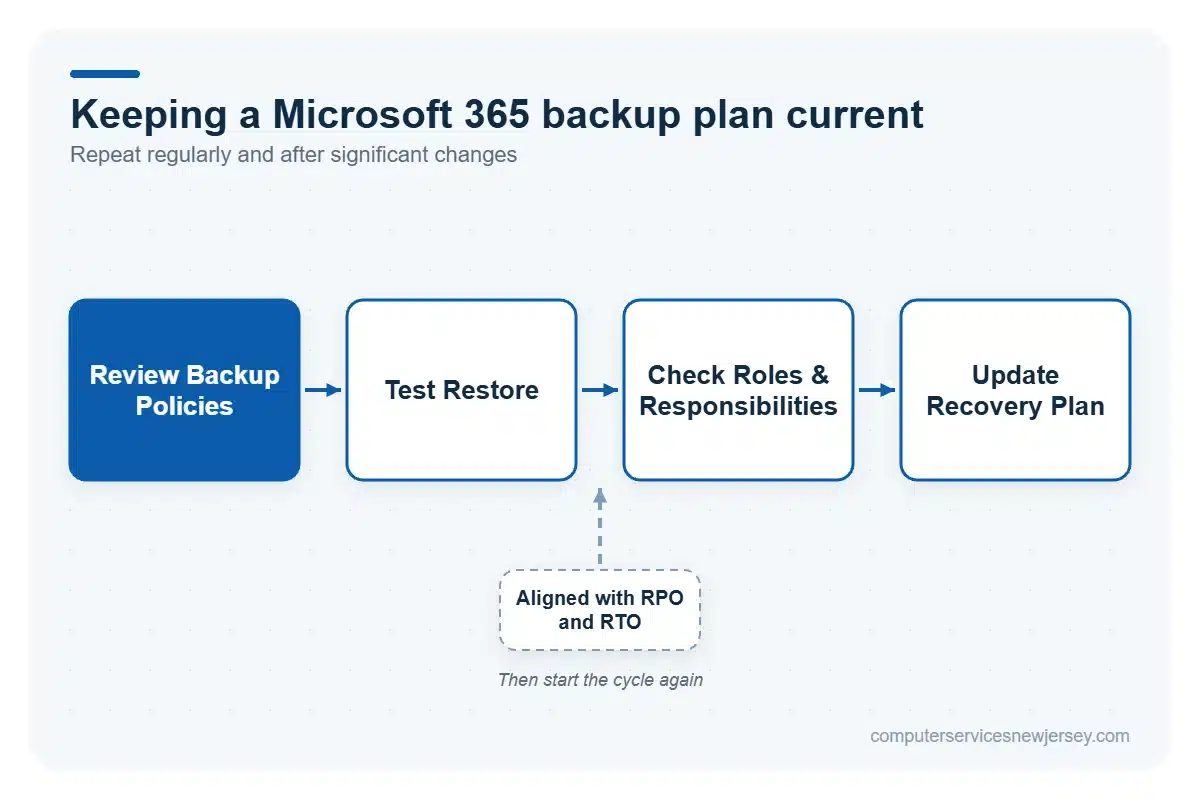
A Microsoft 365 backup plan should evolve with the environment it protects. Adding users, changing workloads, reorganizing SharePoint sites, or modifying business requirements can affect what needs to be backed up and how recovery should be handled.
Organizations should periodically review their backup policies to confirm that the appropriate Exchange Online mailboxes, OneDrive accounts, and SharePoint sites remain protected. Administrative permissions and recovery responsibilities should also be reviewed so that the right people can manage backup policies and initiate restores without providing unnecessary access.
Restore testing is another practical part of maintaining the plan. Testing selected recovery procedures helps administrators become familiar with the process and provides an opportunity to identify problems before recovery is needed during an actual incident.
Reviews should also consider the organization’s RPO and RTO requirements. If business priorities or tolerance for data loss and downtime change, the recovery strategy may need to change with them.
Microsoft 365 Backup Is Only One Part of Data Protection
Backup addresses an important question: how can the organization recover protected data after it has been deleted, changed, encrypted, or otherwise affected? It does not replace the security controls intended to reduce the likelihood or impact of an incident.
A broader Microsoft 365 data protection strategy can combine backup and recovery planning with:
- Multi-factor authentication (MFA) to add another authentication layer when users sign in;
- Email protection and phishing awareness to help reduce risks associated with malicious messages and credential theft;
- Endpoint security to protect the computers and other devices used to access Microsoft 365 information.
These measures have different roles. MFA does not restore a deleted SharePoint site, just as a backup does not stop an employee from entering credentials into a phishing page.
Combining recovery planning with appropriate cybersecurity services gives businesses a more complete approach: preventive and protective controls can reduce exposure to security incidents, while backup provides recovery options when protected Microsoft 365 data needs to be restored.
Build a Microsoft 365 Data Protection Plan That Fits Your Business
Microsoft 365 Backup can provide recovery options for important Exchange Online, OneDrive, and SharePoint data, but the technology itself is only one part of an effective recovery strategy.
Businesses also need appropriate backup policies, clearly defined recovery objectives, controlled administrative access, and restore procedures that are understood and tested. The right approach depends on the organization’s Microsoft 365 environment, protected data volume, operational priorities, and tolerance for downtime and data loss.
If you are unsure whether your current approach provides the recovery options your business requires, Computer Services New Jersey can help evaluate your Microsoft 365 backup and recovery strategy and identify areas that may need attention.
Frequently Asked Questions About Microsoft 365 Backup
Does Microsoft Back Up Microsoft 365 Data?
Microsoft provides native recovery features and Microsoft 365 Backup for supported workloads. Businesses should still define what data needs protection, configure appropriate backup policies, and establish a recovery plan based on their specific operational requirements.
How Often Should a Microsoft 365 Backup Plan Be Reviewed?
A Microsoft 365 backup plan should be reviewed regularly and whenever significant changes affect users, workloads, business requirements, or IT infrastructure. Organizations should also test restores periodically to confirm that recovery procedures remain practical and effective.
Is Microsoft 365 Retention the Same as Backup?
No. Retention and backup serve different purposes. Retention helps preserve information according to defined policies, while backup provides protected copies and recovery capabilities designed to help restore data following deletion, corruption, or other incidents.
Does Microsoft 365 Backup Replace MFA or Other Security Controls?
No. Microsoft 365 Backup supports data recovery but does not replace preventive security controls. Businesses still need measures such as multi-factor authentication, endpoint security, email protection, and phishing awareness to reduce the risk of security incidents.
Need serious people to handle your biz? Work with us!
Author
-
At Computer Services New Jersey, led by George Ancuta, we believe that small and midsize businesses deserve the same level of security, reliability, and strategic foresight as global financial institutions. Our firm provides more than just support; we offer a quarter-century of technical perspective forged in the world’s most demanding financial and corporate environments.