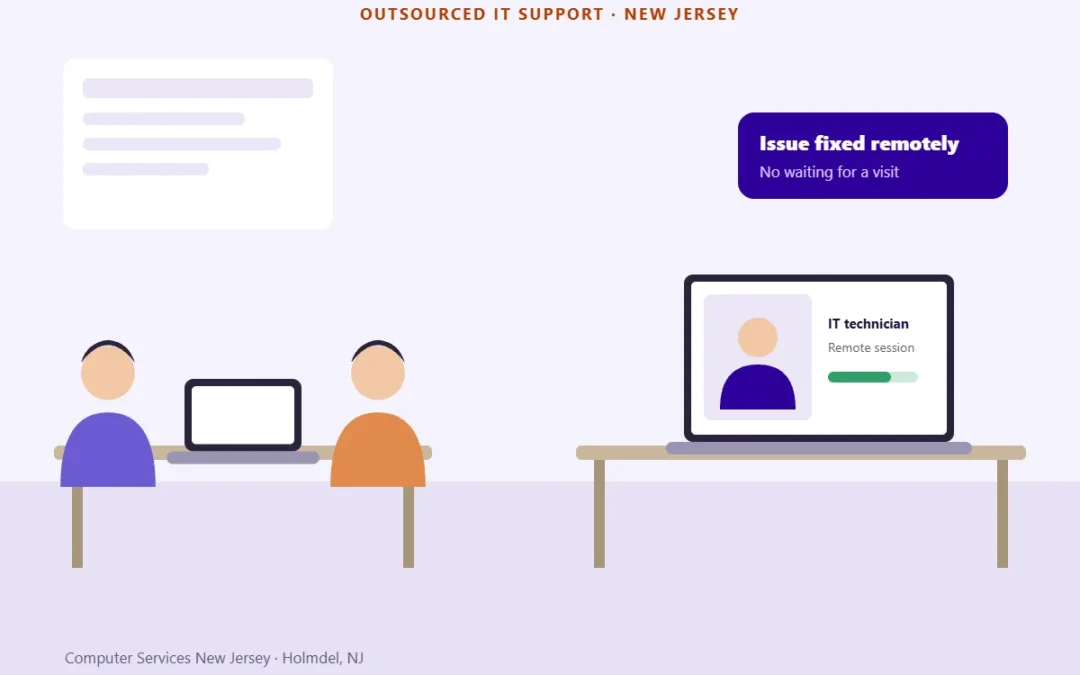
Outsourced IT support in NJ means a provider runs your help desk, security, backups and day-to-day IT for a monthly fee or by the hour, instead of you hiring an in-house IT team.
It typically covers help desk support, 24/7 monitoring, security, backups and vendor management. You usually pay a monthly fee, hourly rates or a mix of both, and it starts with a free IT assessment. Computer Services New Jersey works from Holmdel, NJ, and a real person answers in 30 minutes.
Hiring one IT person is expensive and still leaves gaps during vacations and sick days. Below: what outsourced IT support includes, what it costs, how it compares with an in-house hire and how the switch works.
Reviewed by George Ancuta, owner and founder of Computer Services New Jersey.
Table of contents
- What Outsourced IT Support Means for a New Jersey Business
- What Is Usually Included, and What Is Billed Separately
- How Outsourced IT Support Works, Step by Step
- How Much Does Outsourced IT Support Cost in New Jersey?
- Outsourced IT vs. Hiring In-House: A Cost Comparison You Can Fill In
- Signs It’s Time to Outsource Your IT
- Questions to Ask a Provider Before You Sign
- Switching IT Providers Without Downtime
- Outsourced IT Support Across New Jersey and NYC
- Frequently Asked Questions About Outsourced IT Support
What Outsourced IT Support Means for a New Jersey Business
When you outsource IT, the provider takes over the work: answering support requests, maintaining computers and servers, applying security updates, watching the network and dealing with your technology vendors. Your business keeps ownership of everything that matters: the accounts, the data, the decisions and the budget. This is how outsourced IT support for small business usually works.
There are two common ways to set it up. A fully outsourced model is usually delivered as managed IT services, with a monthly agreement. If you only need help when something breaks, on-demand IT support in New Jersey covers the help desk side without a monthly plan.
Fully Outsourced IT
The provider becomes your IT department. You have no internal IT staff, and every request goes to the provider’s team, from a forgotten password to a failed server. The provider also plans ahead: hardware replacements, security improvements and the IT budget for next year. For most small and mid-sized businesses without a technical employee, this is the simplest setup.
Support Alongside Your In-House IT Person
Some businesses already have one person who handles IT, often next to another job. Outsourcing doesn’t have to replace that person. An IT assessment shows which tasks make sense to hand over, for example security monitoring, after-hours coverage or a project nobody has time for, and which ones stay in-house.
Computer Services New Jersey works alongside your in-house IT person (co-managed IT), so you decide which tasks we take over and which ones stay with your team.
What Is Usually Included, and What Is Billed Separately
The monthly fee is only part of the cost. Before you compare providers, check what the plan covers and what will show up on a separate invoice.
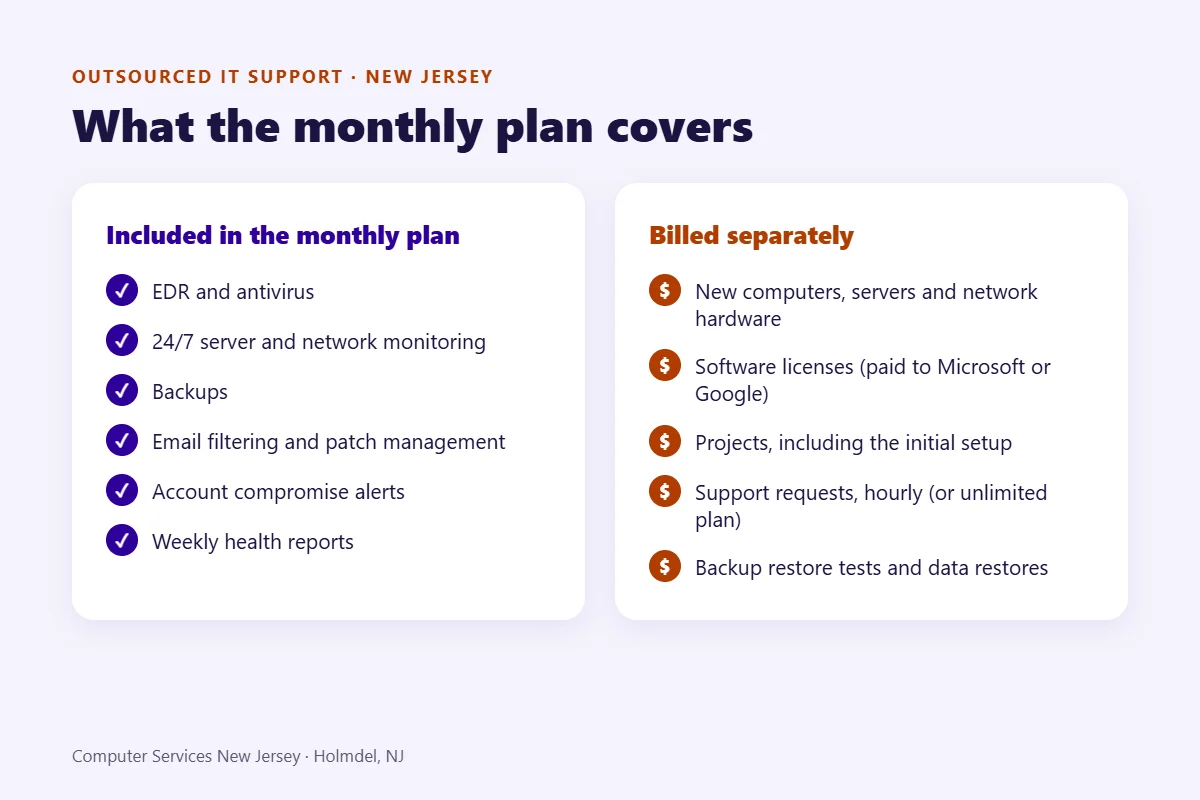
| Usually included in a monthly plan | Usually billed separately |
|---|---|
| EDR (endpoint detection and response) and antivirus | New computers, servers and network hardware |
| 24/7 server and network monitoring | Software licenses (Microsoft 365 or Google Workspace), paid by you directly to the vendor |
| Backups | Projects, including the initial setup: office moves, migrations, new sites, cabling |
| Email filtering and patch management | Support requests (help desk and on-site visits), billed hourly unless you choose the unlimited support plan |
| Account compromise alerts and weekly health reports | Backup restore tests and data restores, billed hourly |
Microsoft 365 and Google Workspace licenses are paid directly to Microsoft or Google. We handle the rest: configuration, administration and security.
At Computer Services New Jersey, managed plans include cybersecurity services such as spam filtering, antivirus scanning and patch management, 24/7/365 network monitoring, and secure cloud backup. For a neutral view of what “security included” should cover in a small business, CISA’s cyber guidance for small businesses is a good checklist.
The items people most often forget to ask about are licenses, hardware and projects. Software subscriptions are usually paid to the vendor, not to the IT provider, even when the provider manages them. New equipment is quoted separately, which is why a replacement plan matters. And a project such as moving to a new office or migrating email is normally priced as its own piece of work, outside the monthly fee.
How Outsourced IT Support Works, Step by Step
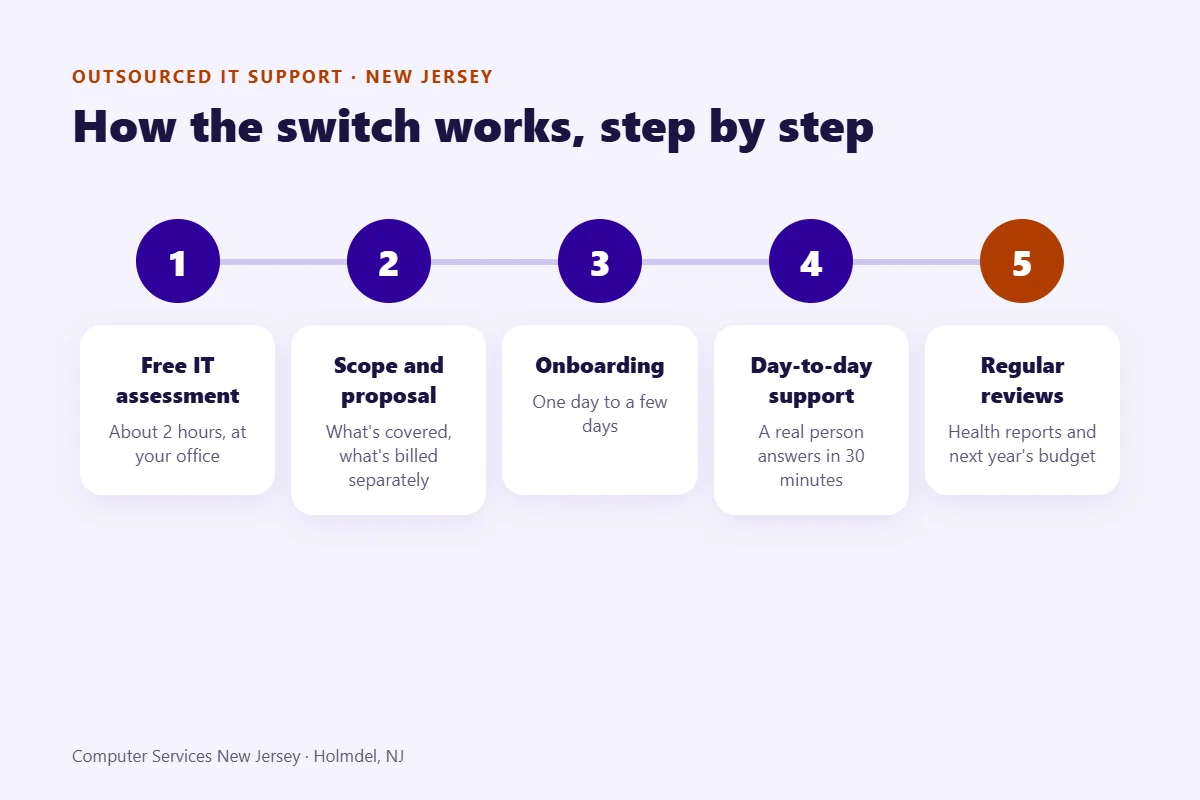
Switching to an outsourced provider is a process with five stages. Each one goes faster when the business prepares a few things in advance.
1. Free IT Assessment
The provider reviews your users, devices, servers, network, backups and security, and asks about the problems that keep coming back. At Computer Services New Jersey, the assessment is free, takes about two hours and happens at your office. It’s the same first step we describe in our guide to IT consulting in New Jersey.
You prepare: a list of users and locations, your current vendors and contracts, and the issues that annoy your team most.
2. Scope and Proposal
The proposal states what is covered, which pricing model applies, the response times and what is billed separately. The initial setup is usually quoted as a separate project. Read this part carefully: it is what you will compare later.
You prepare: your budget limit and the hours you must have covered, such as evenings or weekends.
3. Onboarding and Documentation
The provider collects admin credentials, deploys monitoring and security tools, documents your systems and tells your users how to ask for help. Without this documentation, every later fix takes longer.
At Computer Services New Jersey, onboarding takes from one day to a few days, depending on the size of the business. Support starts as soon as it is finished.
You prepare: admin accounts, a list of software licenses and a contact at your previous IT provider, if you have one.
4. Day-to-Day Support
Your team opens a request by phone or through the get help form. Most issues are solved through remote IT support, and a technician comes on-site when hardware or the network needs it. At Computer Services New Jersey, a real person answers in 30 minutes.
You prepare: nothing beyond telling your team where to call.
5. Regular Reviews
In managed plans, weekly health reports and quarterly or annual vulnerability assessments give you something concrete to review. Together with the age of your hardware, they feed the IT budget for next year.
You prepare: upcoming changes, such as new hires, a new office or software you plan to buy.
How Much Does Outsourced IT Support Cost in New Jersey?
The cost of outsourcing IT services depends on the pricing model and on how much there is to support: the number of users and devices, servers, locations and the hours you need covered. There is no fair single price until someone has looked at your setup, so here is how pricing works and what moves it.
Common Pricing Models
Providers in the market use four main models:
- Flat monthly fee, usually calculated per user or per device. IT support cost per user makes it easy to compare plans side by side.
- Hourly or on-demand, paid per call or per hour of work.
- Prepaid block of hours, used as needed, often at a lower hourly rate.
- Project-based, a fixed quote for one piece of work.
At Computer Services New Jersey, the monthly subscription is calculated from the number of devices you have (computers and servers), with no minimum monthly fee. It covers monitoring and protection: EDR, antivirus, patch management, 24/7 server and network monitoring, backups, email filtering, account compromise alerts and weekly health reports. Support requests are billed hourly, or you can choose unlimited IT support for a flat monthly fee agreed with us up front, so your team can call whenever it needs help. The initial setup is quoted as a separate project. For a closer look at the two main approaches, read managed IT vs. break-fix.
What Drives the Price
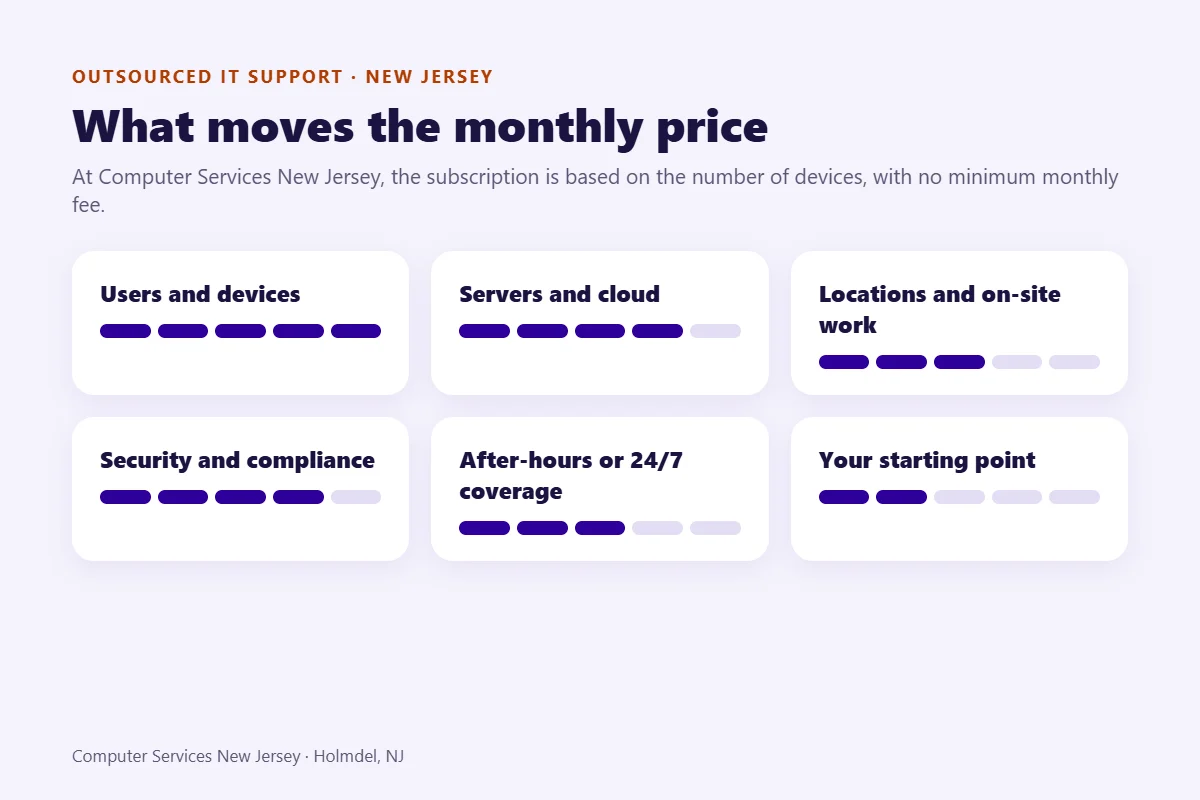
The IT outsourcing cost goes up or down with these factors:
- Users and devices. More people and computers mean more support requests and more licenses to manage.
- Servers and cloud environments. On-site servers and cloud platforms need monitoring, patching and backups of their own.
- Locations and on-site needs. Several offices, or work that often needs a technician on-site, take more time than remote support.
- Security and compliance requirements. Industries with stricter rules need more controls and more documentation.
- After-hours or 24/7 coverage. Support outside business hours costs more than a business-hours plan.
- The starting point. Old equipment and missing documentation make onboarding longer and can raise the first months’ work.
A free IT assessment (about two hours, at your office) gives you an exact monthly number for your setup.
We don’t publish a fixed price, because the monthly fee depends on how many devices you have. Contact us for a personalized quote.
Outsourced IT vs. Hiring In-House: A Cost Comparison You Can Fill In
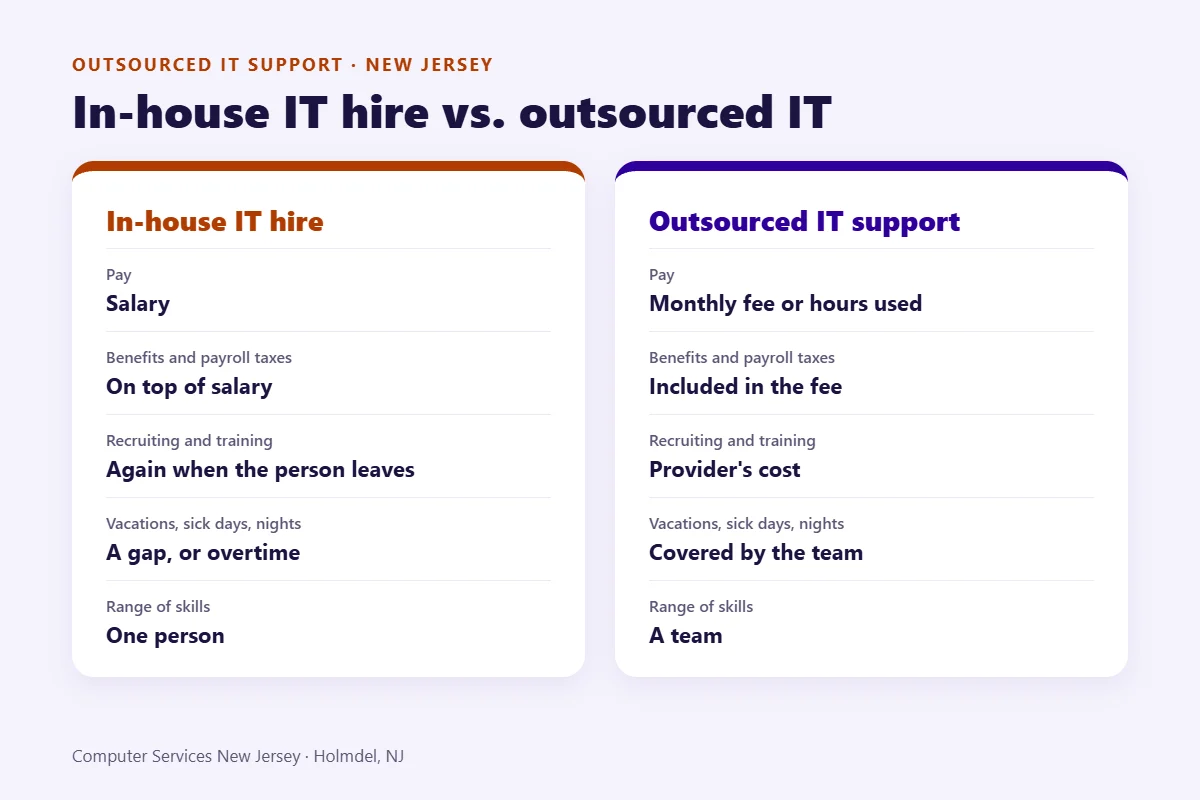
Comparing a salary with a monthly fee is misleading, because the salary is only part of what an employee costs. Use the table below to compare full costs, and fill in your own numbers.
For reference, the U.S. Bureau of Labor Statistics reports that computer user support specialists (15-1232) in New Jersey earned an annual mean wage of $70,970 in May 2025, and network and computer systems administrators (15-1244) $119,390 (BLS, Occupational Employment and Wage Statistics, May 2025, New Jersey). Those figures are wages only, before benefits, payroll taxes and tools.
| Cost line | In-house IT hire | Outsourced IT support |
|---|---|---|
| Pay | Salary (NJ reference above) | Monthly fee or hours used |
| Benefits and payroll taxes | Yes, on top of salary | Included in the fee |
| Recruiting and training | Yes, and again when the person leaves | Provider’s cost |
| Tools (monitoring, security, remote access) | Bought separately | Usually included |
| Coverage during vacation, sick days, nights | A gap, or overtime | Covered by the team, or a 24/7 option |
| Range of skills (network, security, cloud) | One person’s skills | A team |
| Knowledge of your systems | High, until the person leaves | Documented during onboarding |
An in-house hire can still make sense. A large team with constant on-site needs, or a business that runs complex internal software every day, may need someone in the building full time. Many of those businesses still outsource part of the work, such as security monitoring or after-hours coverage, so the in-house person isn’t on call every night.
Signs It’s Time to Outsource Your IT
Most businesses don’t decide to outsource IT on a quiet day. These are the situations that usually lead to the question “should I outsource my IT department?”:
- The “IT person” is the office manager or the owner, and IT keeps pulling them away from their real job.
- The same problems keep coming back: slow computers, Wi-Fi drops, the printer that never works on Mondays.
- Nobody knows for sure whether the backups work.
- One person holds all the passwords.
- Security updates happen only when someone remembers to install them.
- A security incident, or a cyber insurance questionnaire, showed gaps you can’t close alone.
- The business is growing, with new hires or a second office.
If two or more of these sound familiar, it’s a good time to outsource IT services, or at least to get an assessment.
Questions to Ask a Provider Before You Sign
Whichever provider you choose, get clear answers to these questions before you sign:
- What are your response times, and are they in writing?
- How long is the contract, and what is the notice period?
- What exactly is billed separately from the monthly fee?
- Who owns the passwords, documentation and admin accounts?
- How do we leave, and what do you hand over if we do?
- Where are your technicians located?
- What happens when there is a security incident, and who calls whom?
Ask for these answers in the proposal or the agreement, not only on a sales call. A provider that hesitates about who owns the passwords, or about how you can leave, is already telling you something.
Our own answers to three of these questions are simple: a real person answers in 30 minutes, there is no minimum monthly fee, and our technical staff is located in the United States.
If a client leaves us, we hand over the passwords and documentation to the new provider; the handover is billed hourly.
Switching IT Providers Without Downtime
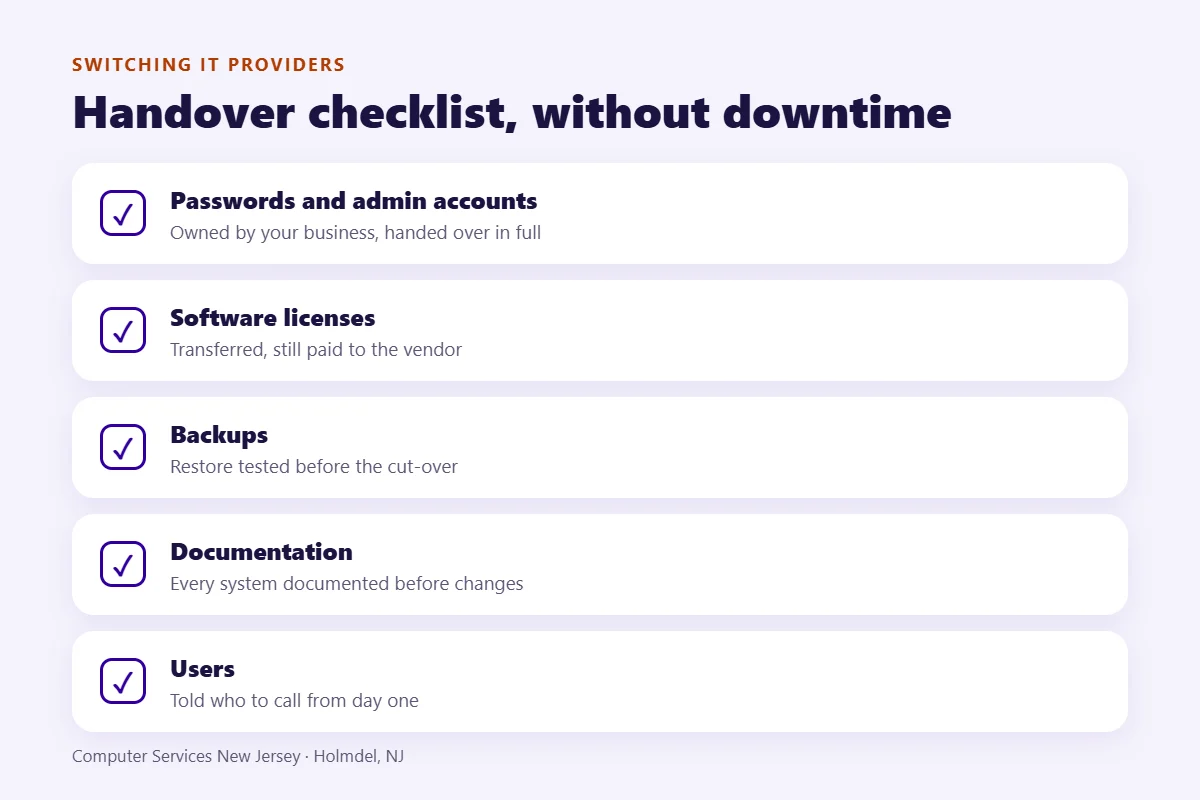
Changing providers is mostly a matter of order. Plan an overlap period, so the old provider is still available while the new one takes over. Transfer admin credentials and software licenses, and make sure the new provider documents every system before anything changes.
Two checks protect you most. First, verify that backups work and can be restored before the cut-over, not after. Second, tell your users in advance who to call from day one and what will be different for them. Keep the old provider’s access active until the new one confirms that monitoring, backups and admin accounts all work.
If the switch also involves a server migration, an office move or new equipment, it is usually handled as IT project work, planned and priced separately from the monthly support.
Outsourced IT Support Across New Jersey and NYC
Our office is in Holmdel, so most of our on-site work happens in Monmouth County. We also support businesses in Middlesex and Ocean counties and in Manhattan, and we work remotely with clients anywhere in New Jersey. For IT outsourcing in New Jersey, that mix matters: most requests are solved remotely, and a technician can still come to the office when hardware or the network needs hands-on work. It also keeps outsourced IT in NJ practical for businesses with more than one location.
Two examples of the work: a server migration for a New Jersey CPA firm, and our SGK Legal case study.
Frequently Asked Questions About Outsourced IT Support
How much does it cost to outsource IT support in New Jersey?
The price depends on the number of users and devices, servers, locations, security needs and the hours you need covered. At Computer Services New Jersey, the monthly subscription is based on the number of devices, with no minimum monthly fee. Support requests are billed hourly, or covered by an unlimited support plan for a flat monthly fee. A free IT assessment gives you an exact number.
What IT services can be outsourced?
Most day-to-day IT can be outsourced: help desk, on-site support, network and server monitoring, security patching, antivirus, email filtering, backups, Microsoft 365 administration and vendor management. Hardware, software licenses and projects such as office moves are usually quoted separately.
Is there a minimum monthly fee?
No. The monthly subscription is calculated from the number of devices you have. Support requests are billed hourly, unless you choose the unlimited support plan with a flat monthly fee.
Can you provide on-site support, or is everything remote?
Many requests can be solved remotely, without waiting for a technician to travel. When hardware or network work is needed, our technicians come on-site from our Holmdel office. Most on-site work is in Monmouth County, and we also support businesses in Middlesex and Ocean counties and in Manhattan.
Who owns our passwords and documentation?
Your business should always own its admin accounts, passwords and system documentation. A good provider documents your environment during onboarding and hands everything over if you ever change providers. Ask for this in writing before you sign.
How long does it take to switch to an outsourced IT provider?
With us, onboarding takes from one day to a few days, depending on the size of the business, and support starts as soon as it is finished.
Book a free IT assessment and get an exact monthly number for your setup.
Need IT help? A real person answers in 30 minutes.
Author
-
At Computer Services New Jersey, led by George Ancuta, we believe that small and midsize businesses deserve the same level of security, reliability, and strategic foresight as global financial institutions. Our firm provides more than just support; we offer a quarter-century of technical perspective forged in the world’s most demanding financial and corporate environments.